● Every screen, nothing held back
Restaurant POS screenshots, screen by screen
Real screens from a working restaurant. Customer and supplier names have been replaced with demo names; everything else — the menu, the figures, the layout — is exactly what you get.
Selling
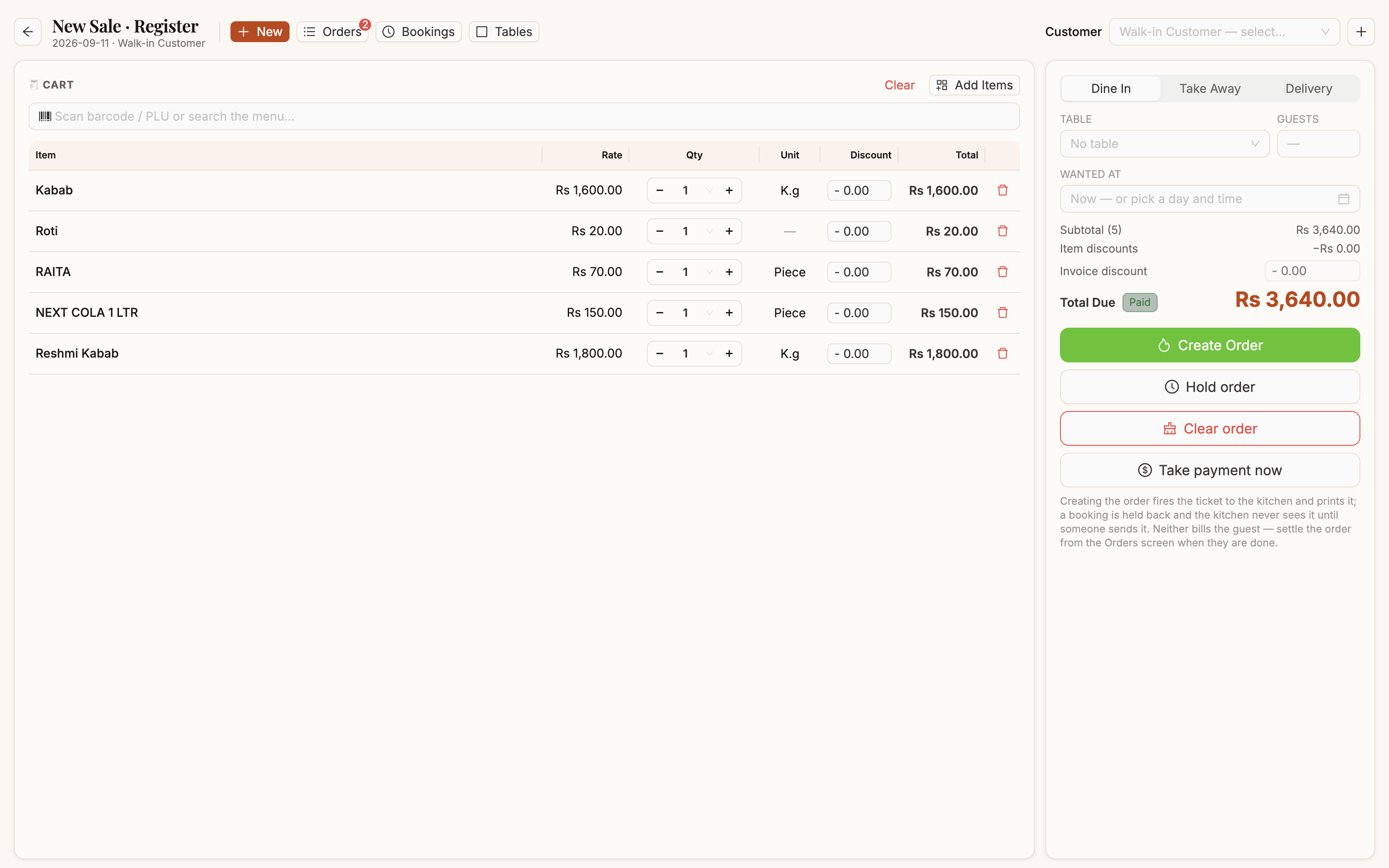
The tillCart on the left, order panel on the right. Rate, quantity and discount are editable per line; the four buttons decide whether the kitchen, the guest or both get involved. Manual →
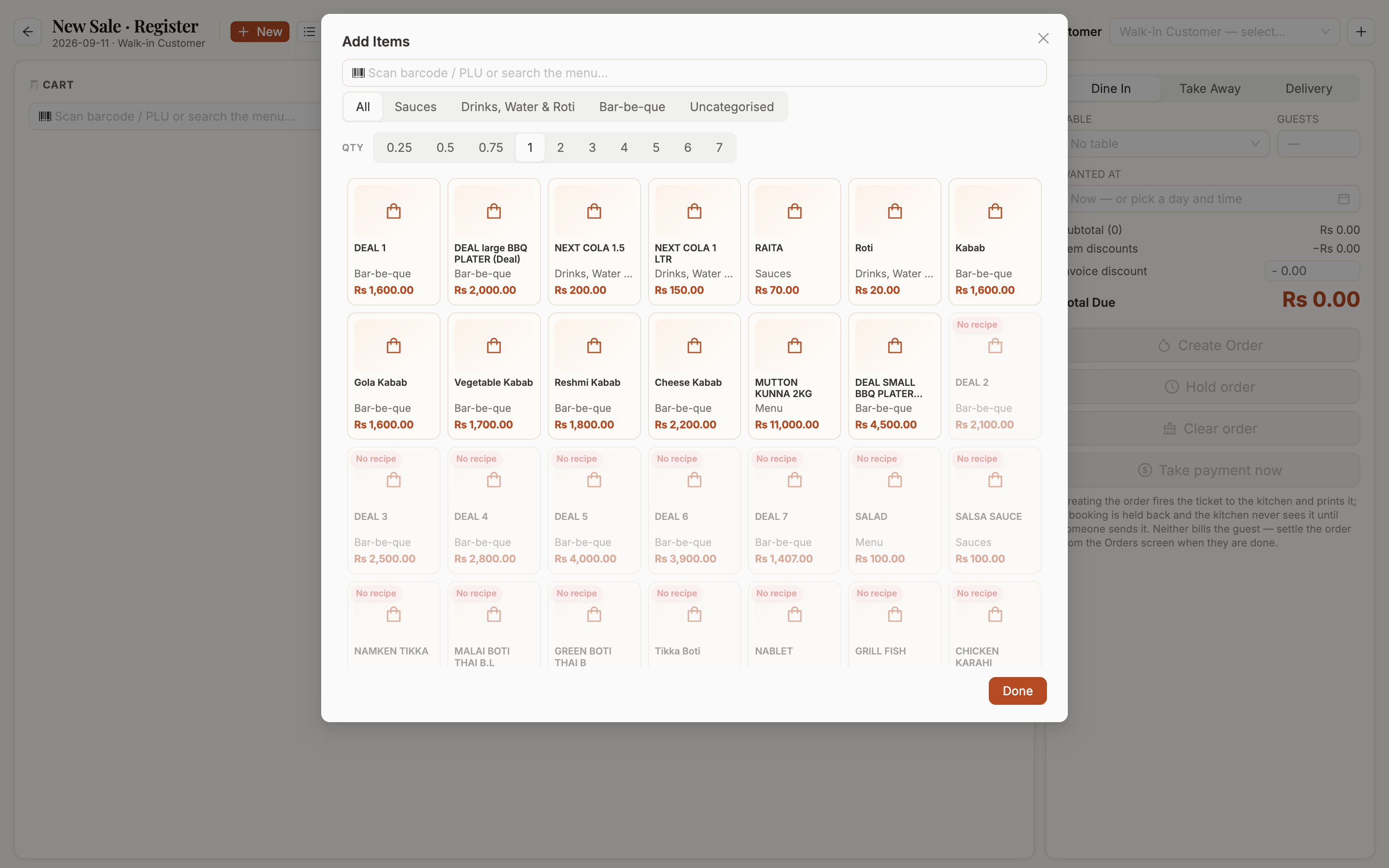
The item pickerCategories across the top, quantity chosen before the dish, and a grid of everything sellable. Out-of-stock items are dimmed. Manual →
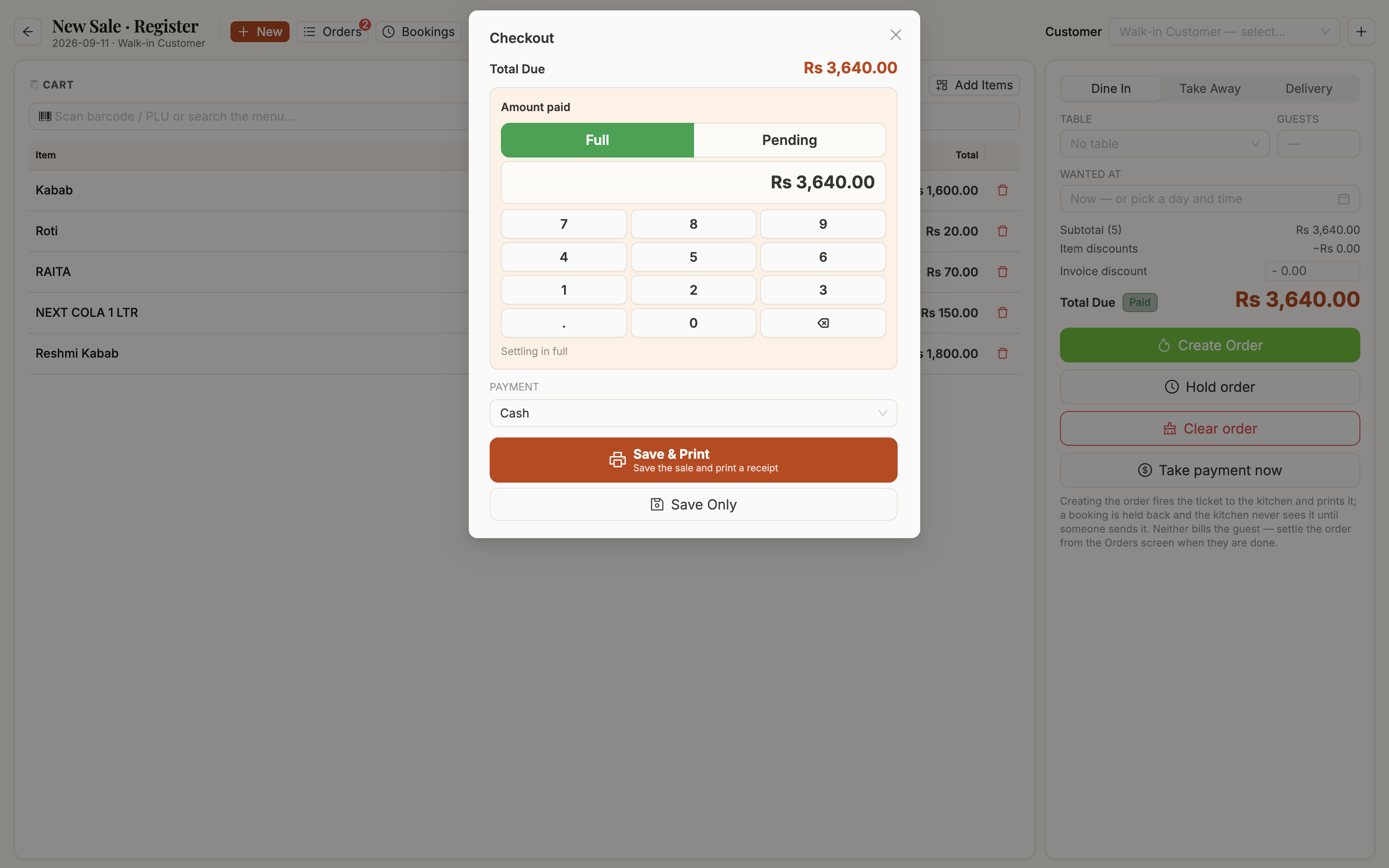
CheckoutA keypad, a Full shortcut and a Pending shortcut that puts the bill on the guest's khata. Change and balance are worked out live. Manual →
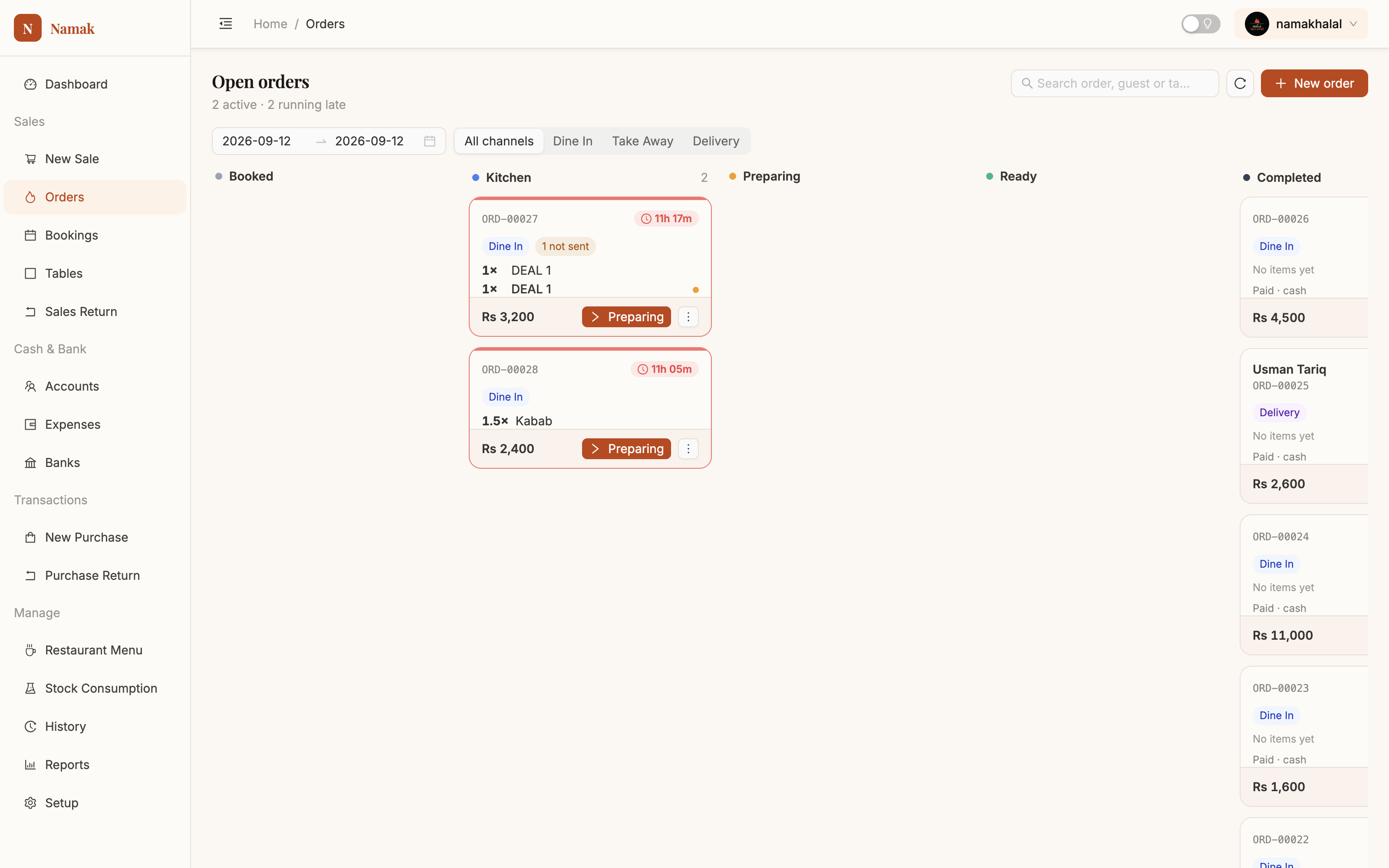
Orders boardOpen tickets grouped by where they've reached. Refreshes itself every 20 seconds; anything sitting 15 minutes turns red. Manual →
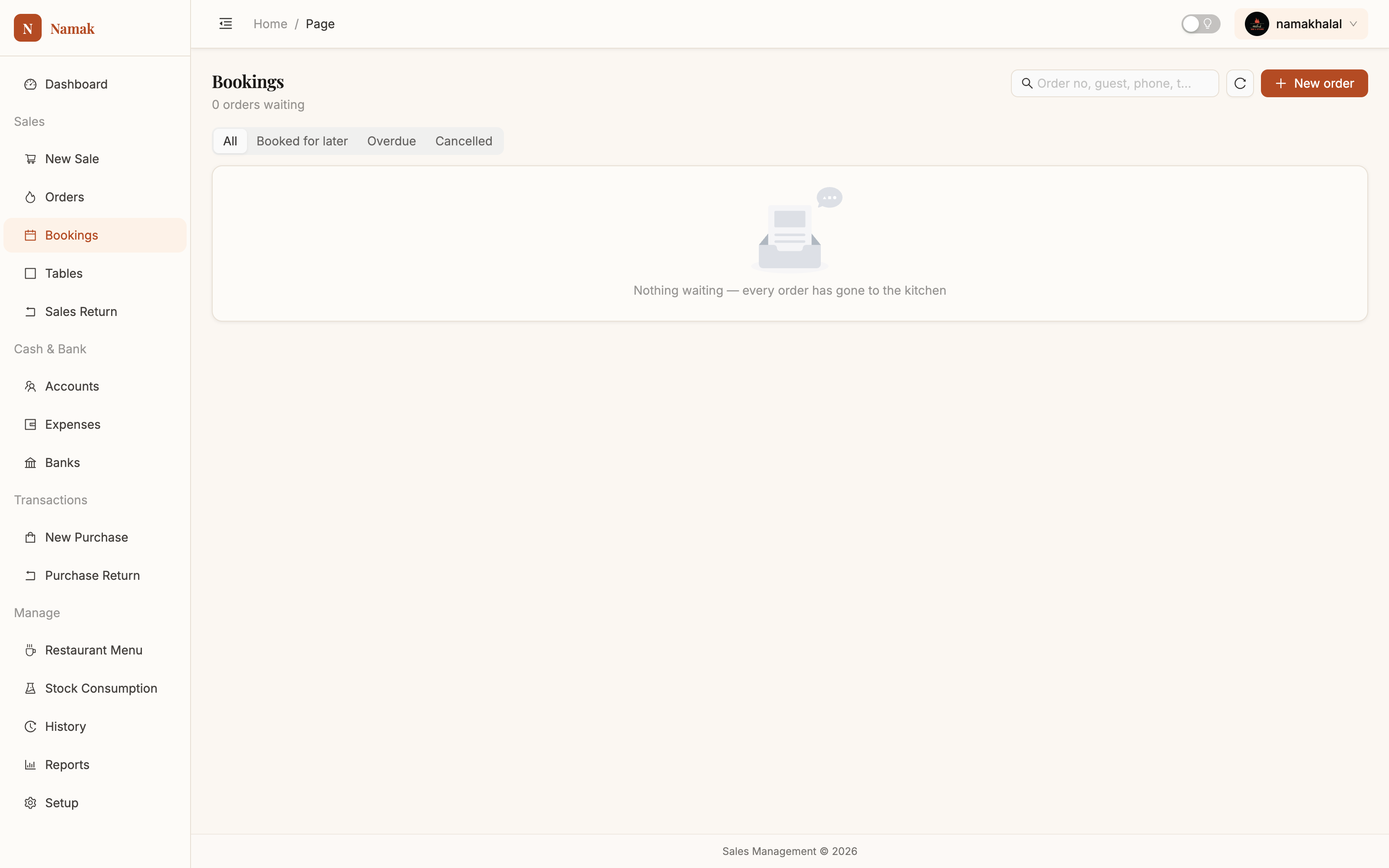
BookingsOrders held back from the kitchen, filtered by booked, overdue or cancelled. The due-time alert follows you anywhere in the app. Manual →
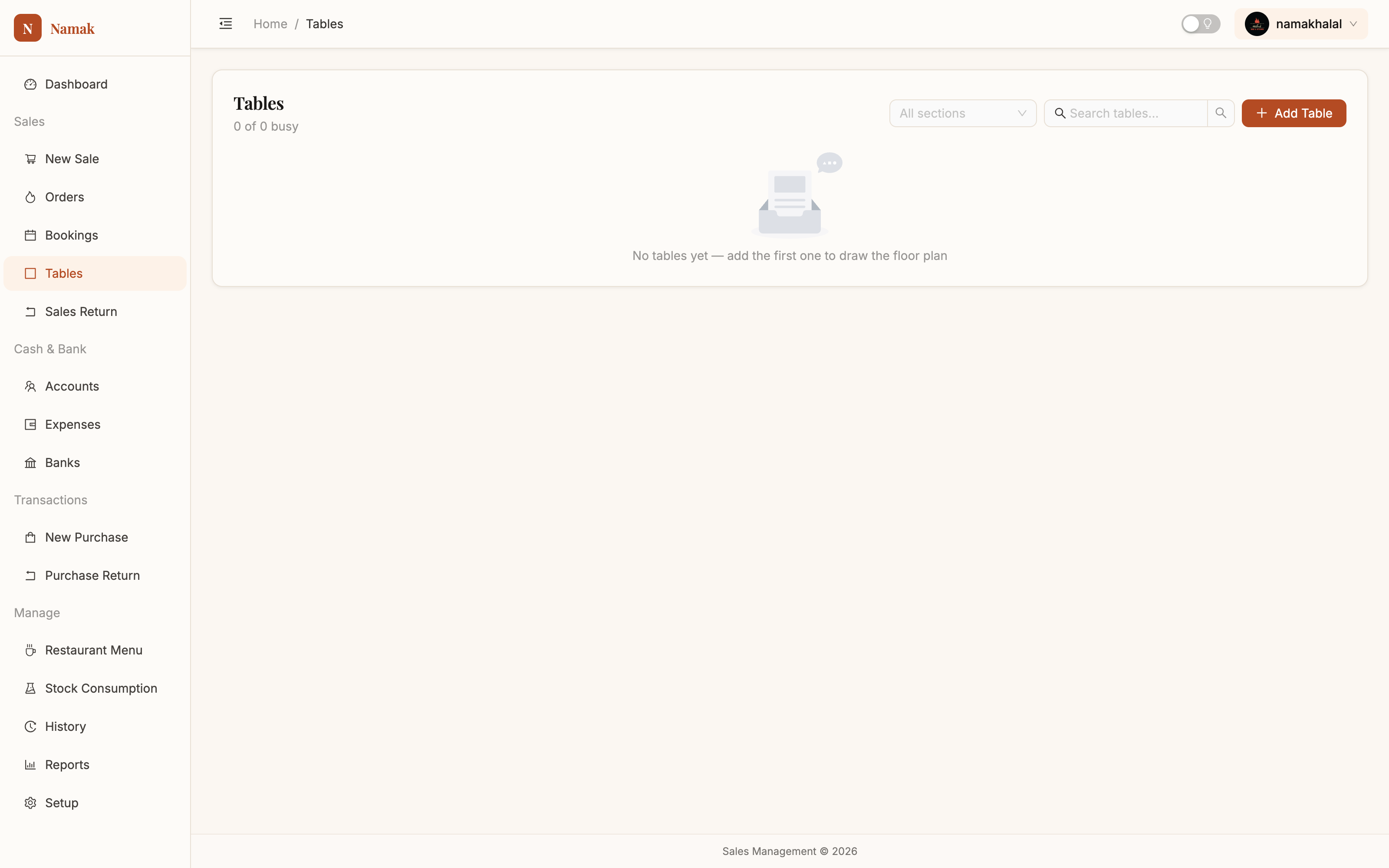
TablesYour floor by section, with seats and live free/busy status. Tap a busy table at the till to open what it already has. Manual →
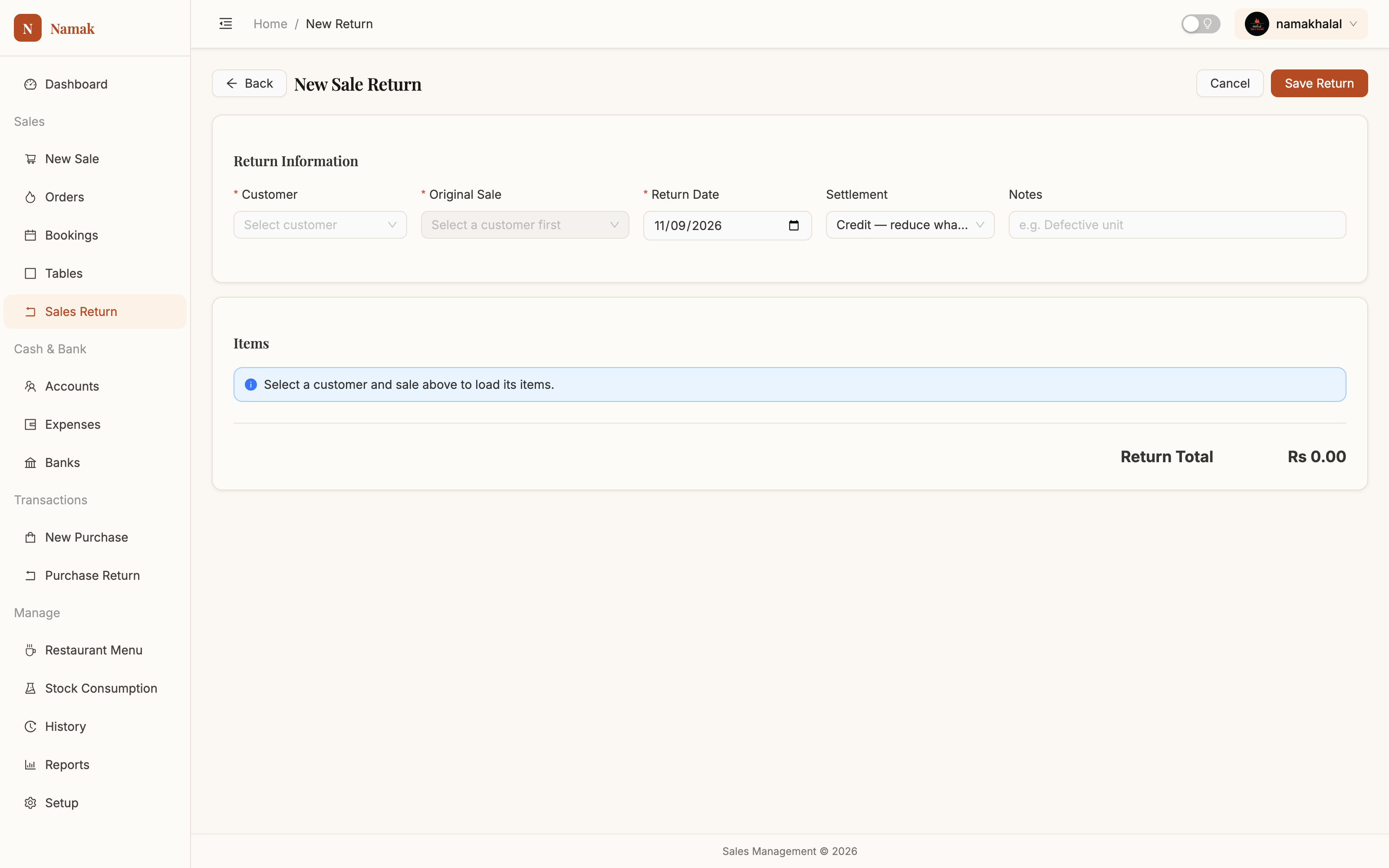
Sales returnPuts stock back, refunds cash or credits the guest's balance, and leaves a document behind. Manual →
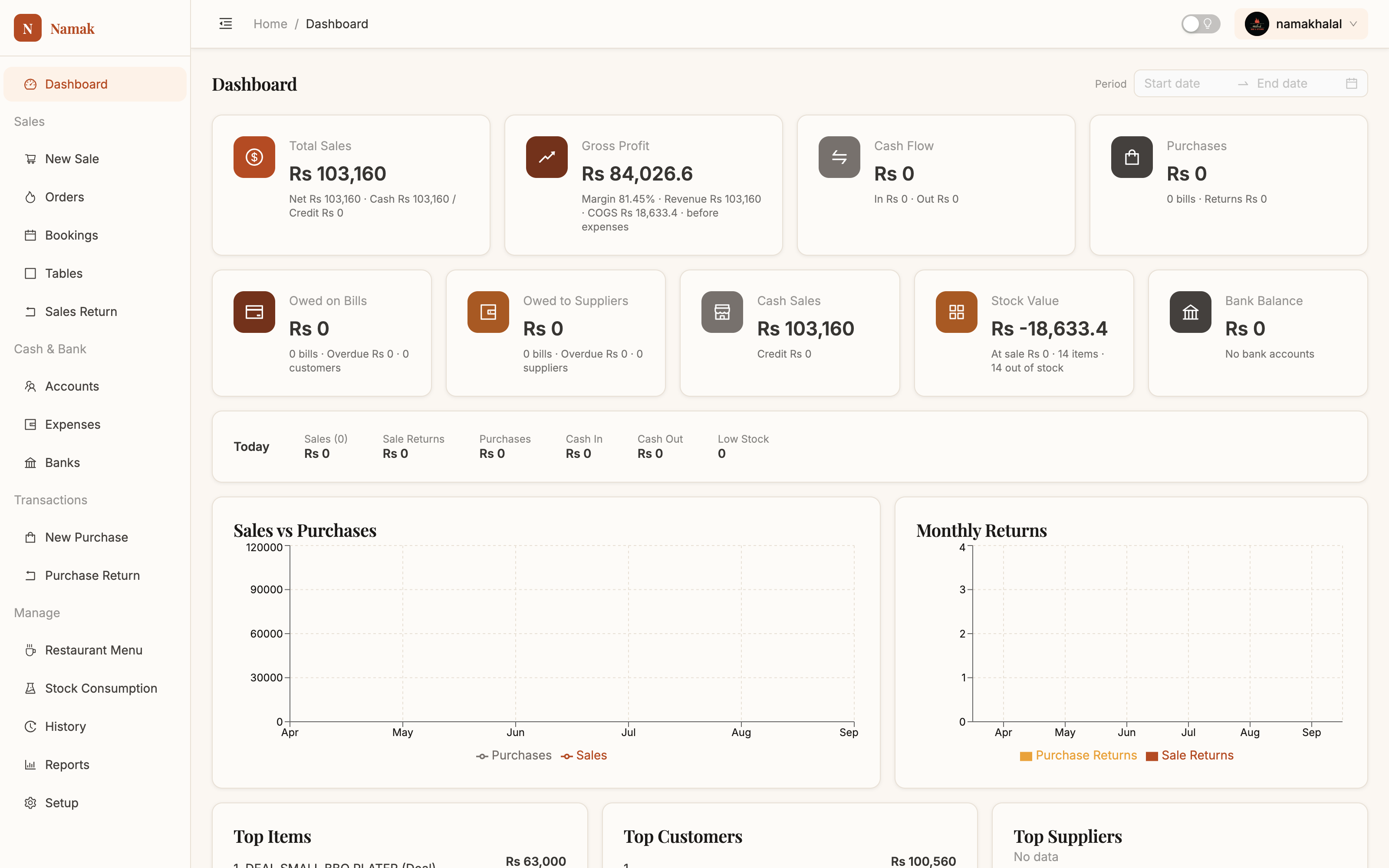
DashboardSales, gross profit, cash flow and purchases for any period; then what you're owed, what you owe, stock value and bank balance. Manual →
Menu & stock
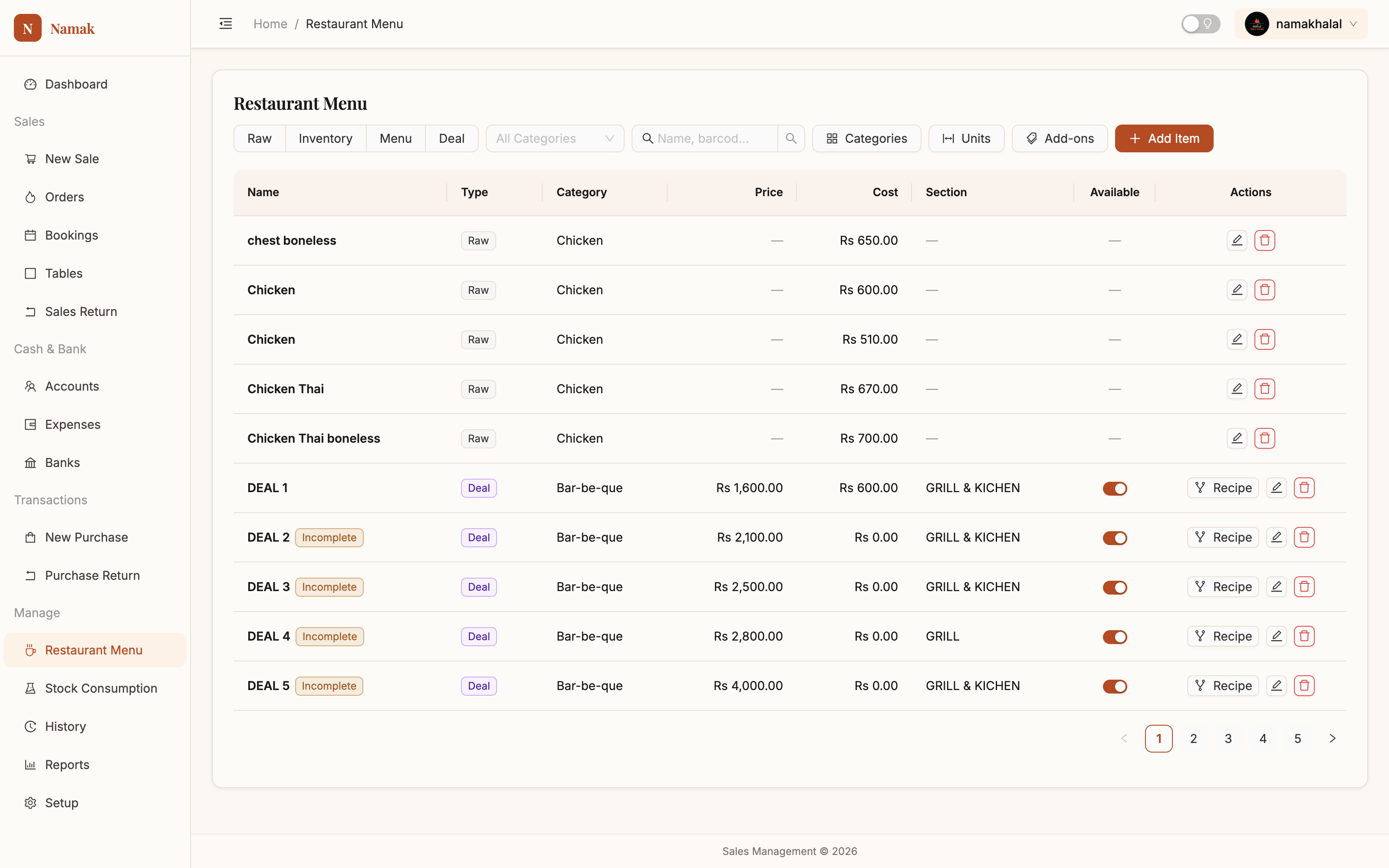
Restaurant MenuRaw, inventory, menu and deal items in one list, with the cost rolled up from each recipe and an availability switch per item. Manual →
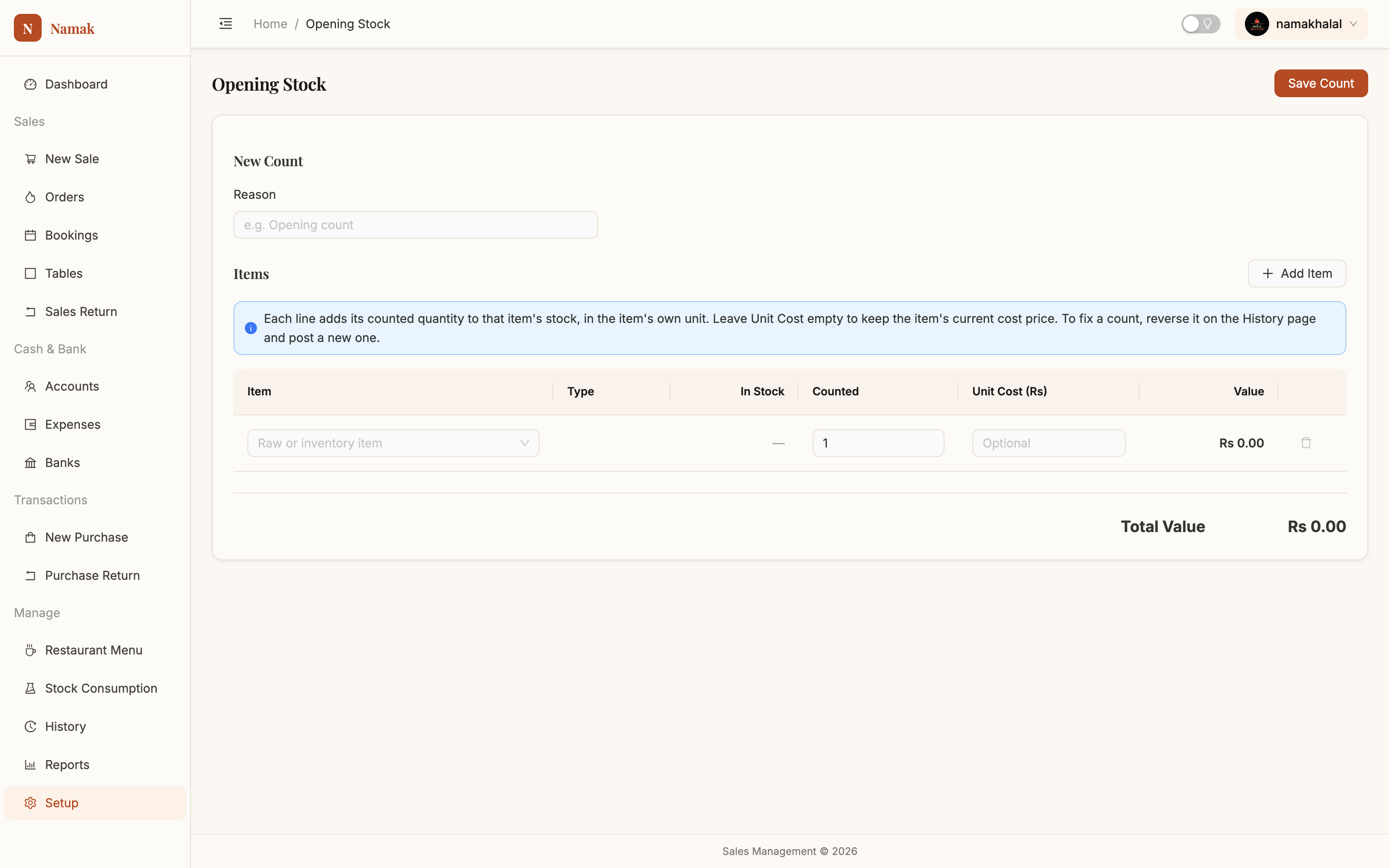
Opening stockWhat you were holding on day one — and the same tool for every physical count after that. Manual →
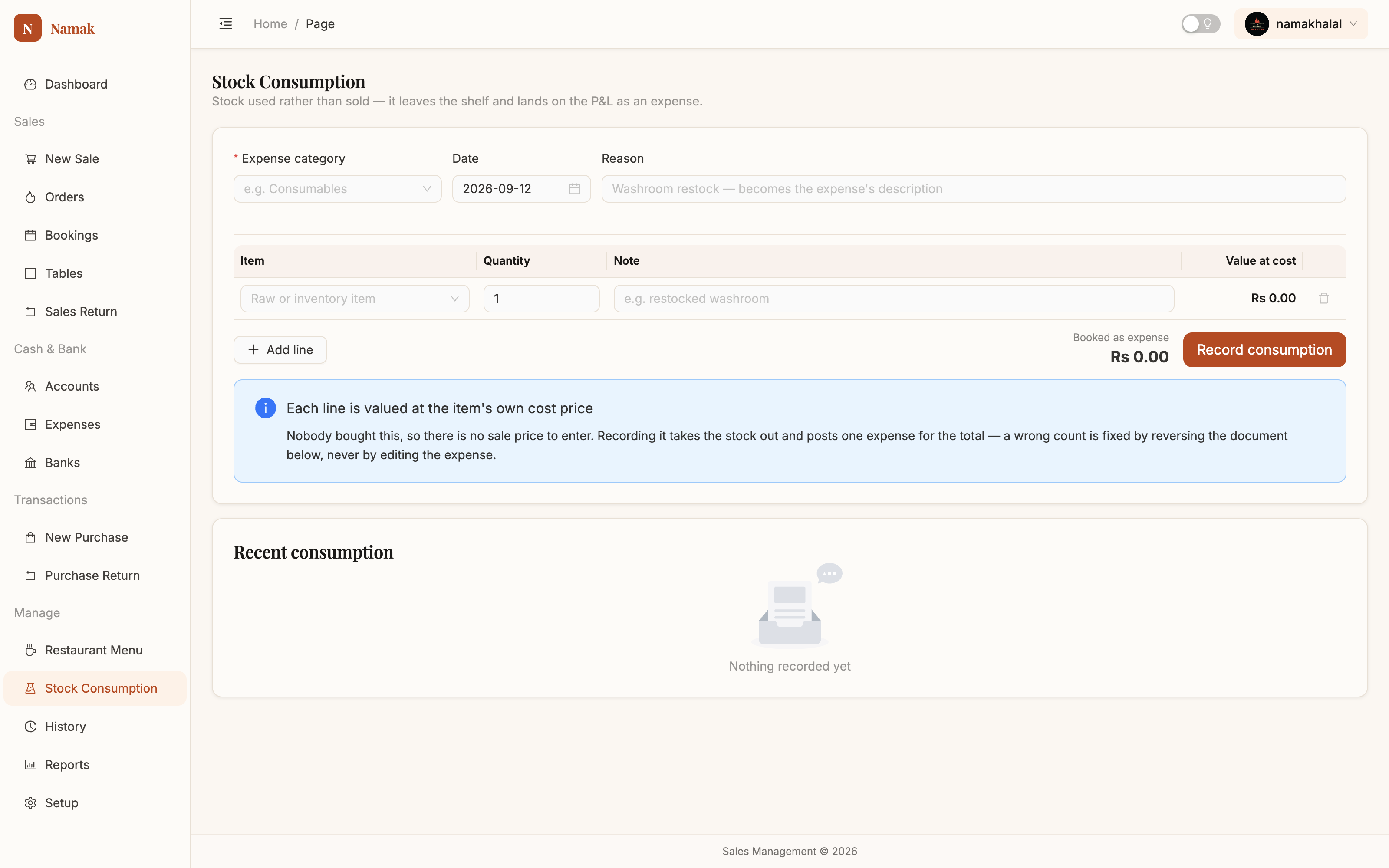
Stock consumptionStaff meals, spoilage and consumables written off and booked as an expense in one action — reversible if you get it wrong. Manual →
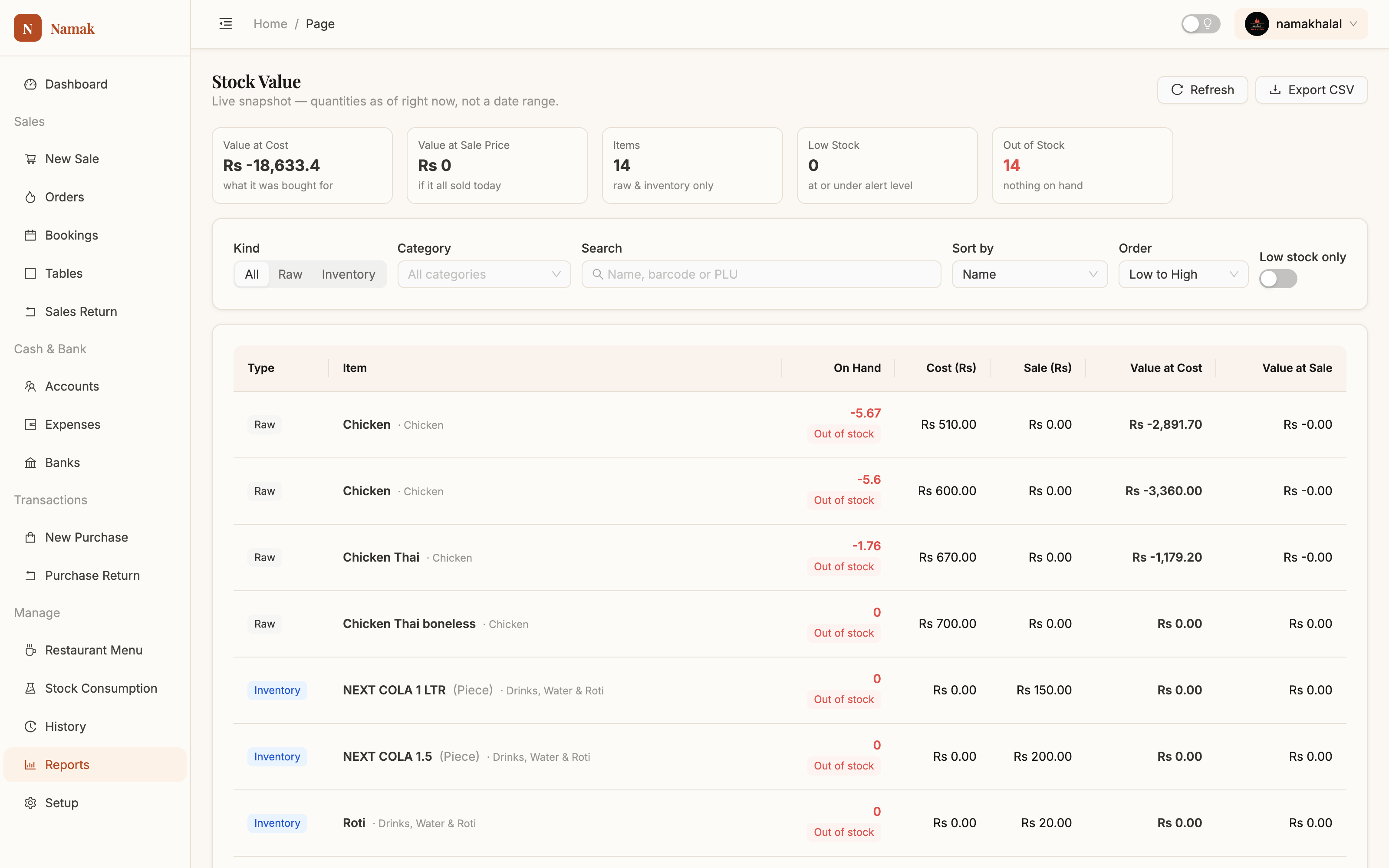
Stock valueThe store room as a number, valued at what you paid and at what it would sell for. Manual →
Money & the khata
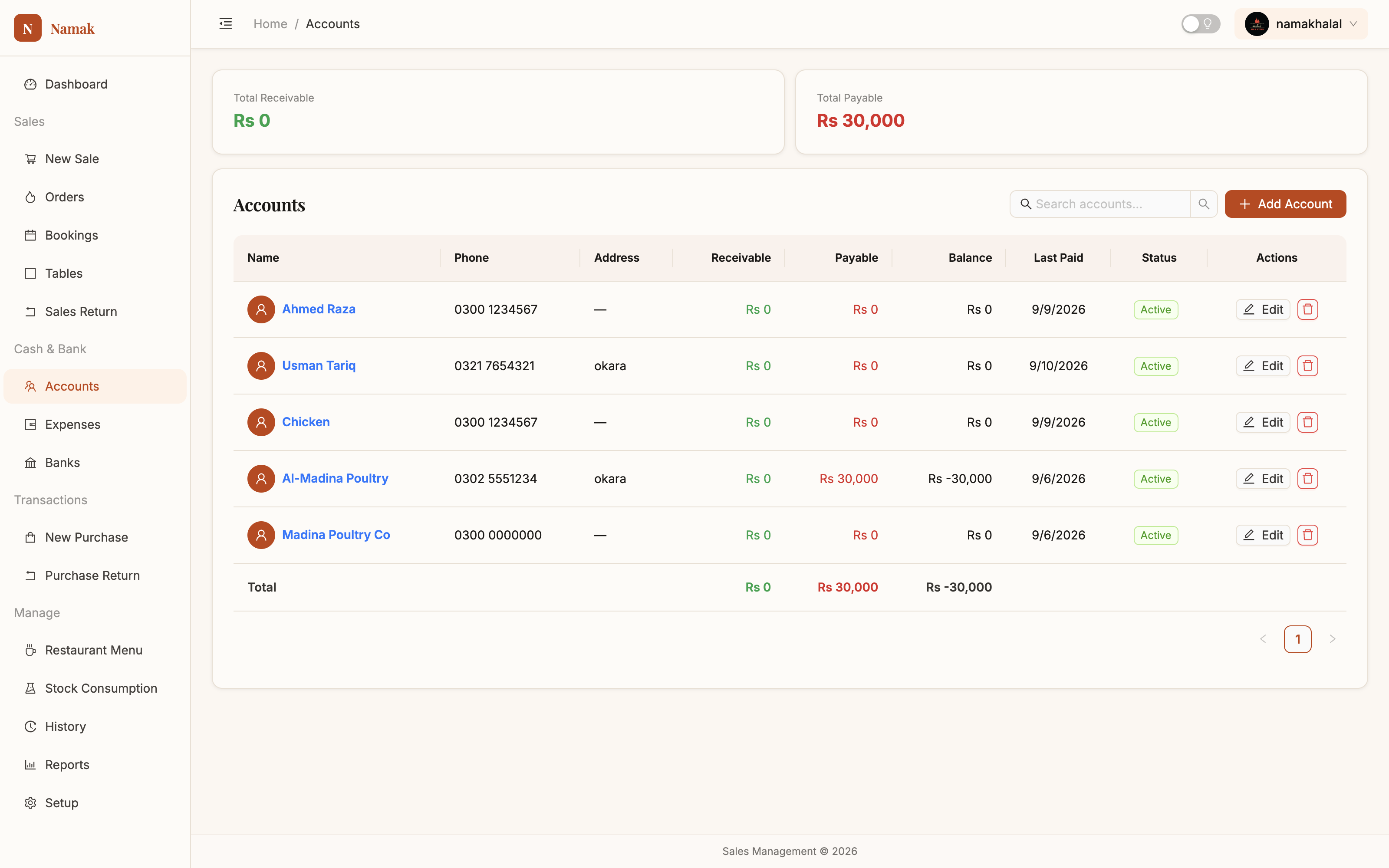
AccountsCustomers and suppliers in one list — because the man who supplies your chicken also eats at your restaurant. Manual →
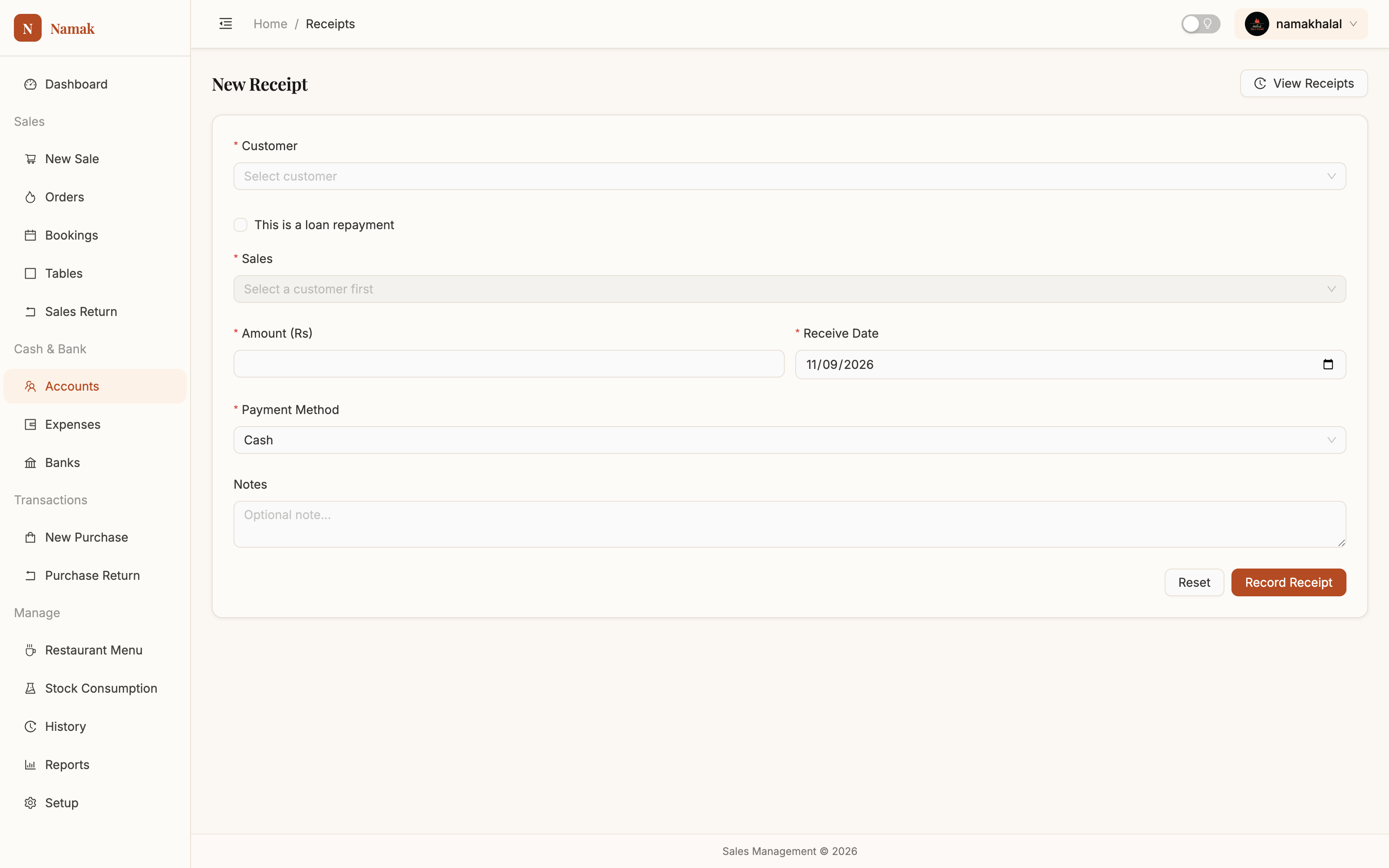
ReceiptsMoney in from a customer, applied to the exact bills it clears — so their statement shows closed invoices, not a vague balance. Manual →
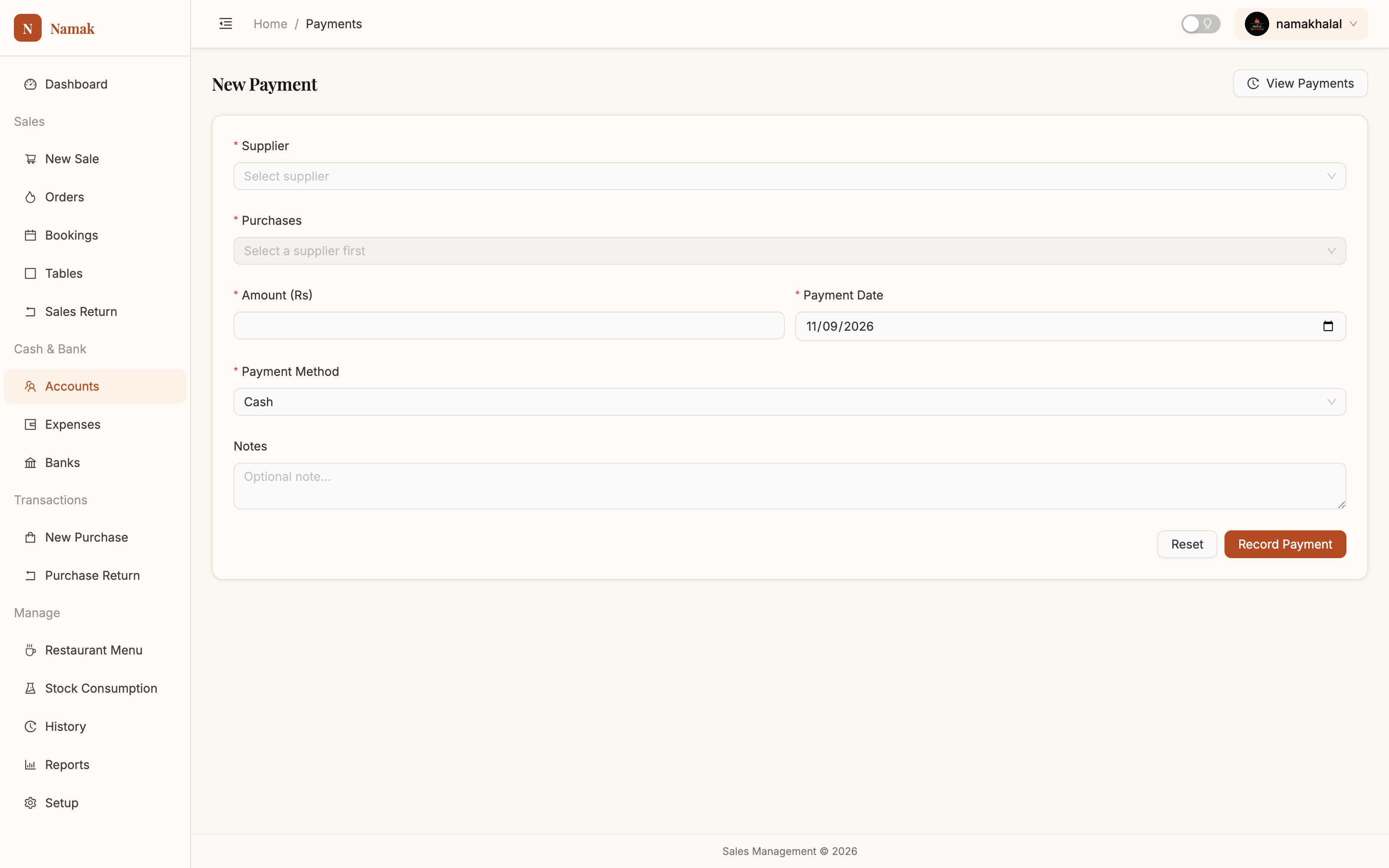
PaymentsMoney out to a supplier, ticked off against their open bills. Manual →
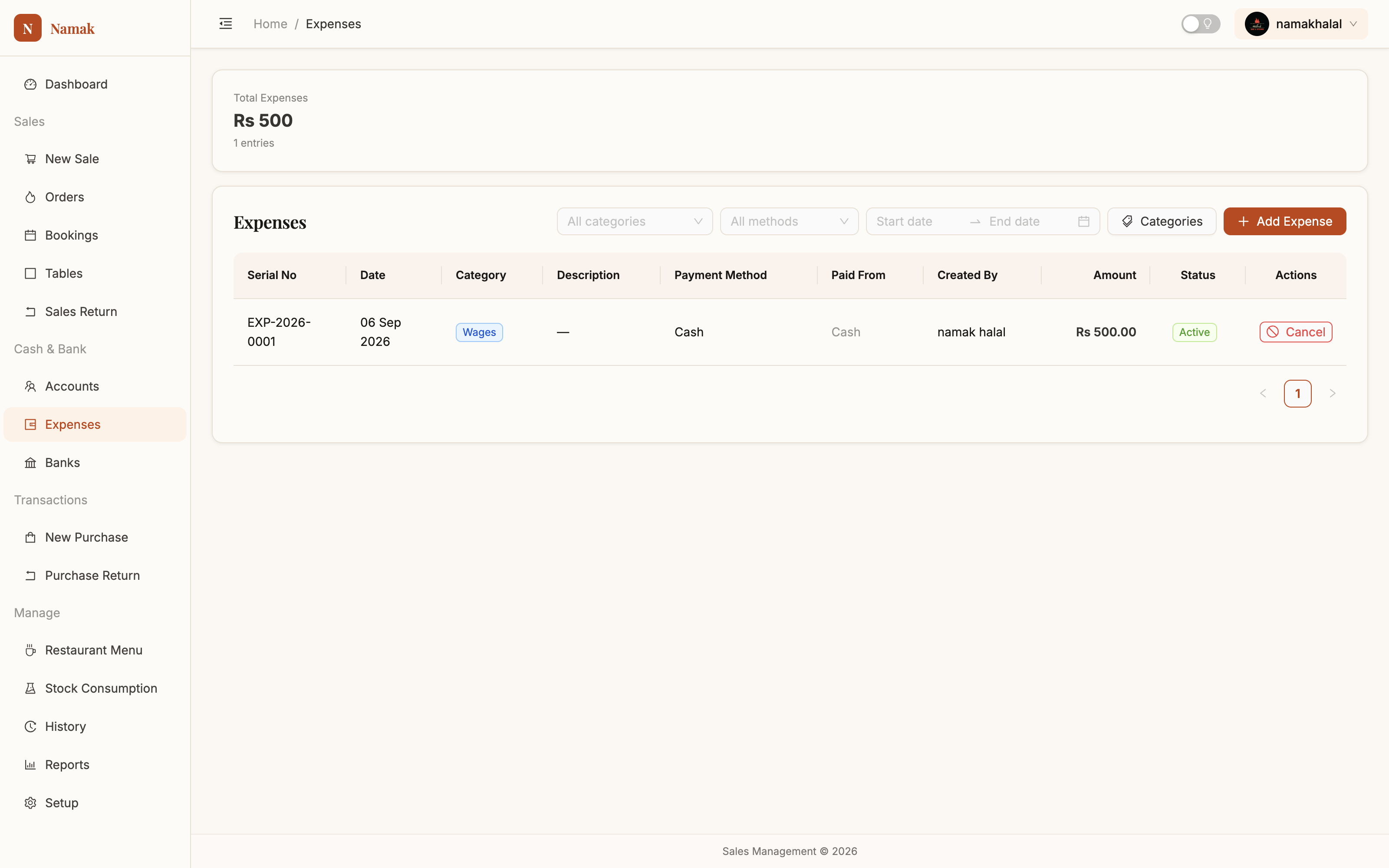
ExpensesRent, gas, salaries and repairs — categorised, filterable, and cancelled rather than deleted so the totals always reconcile. Manual →
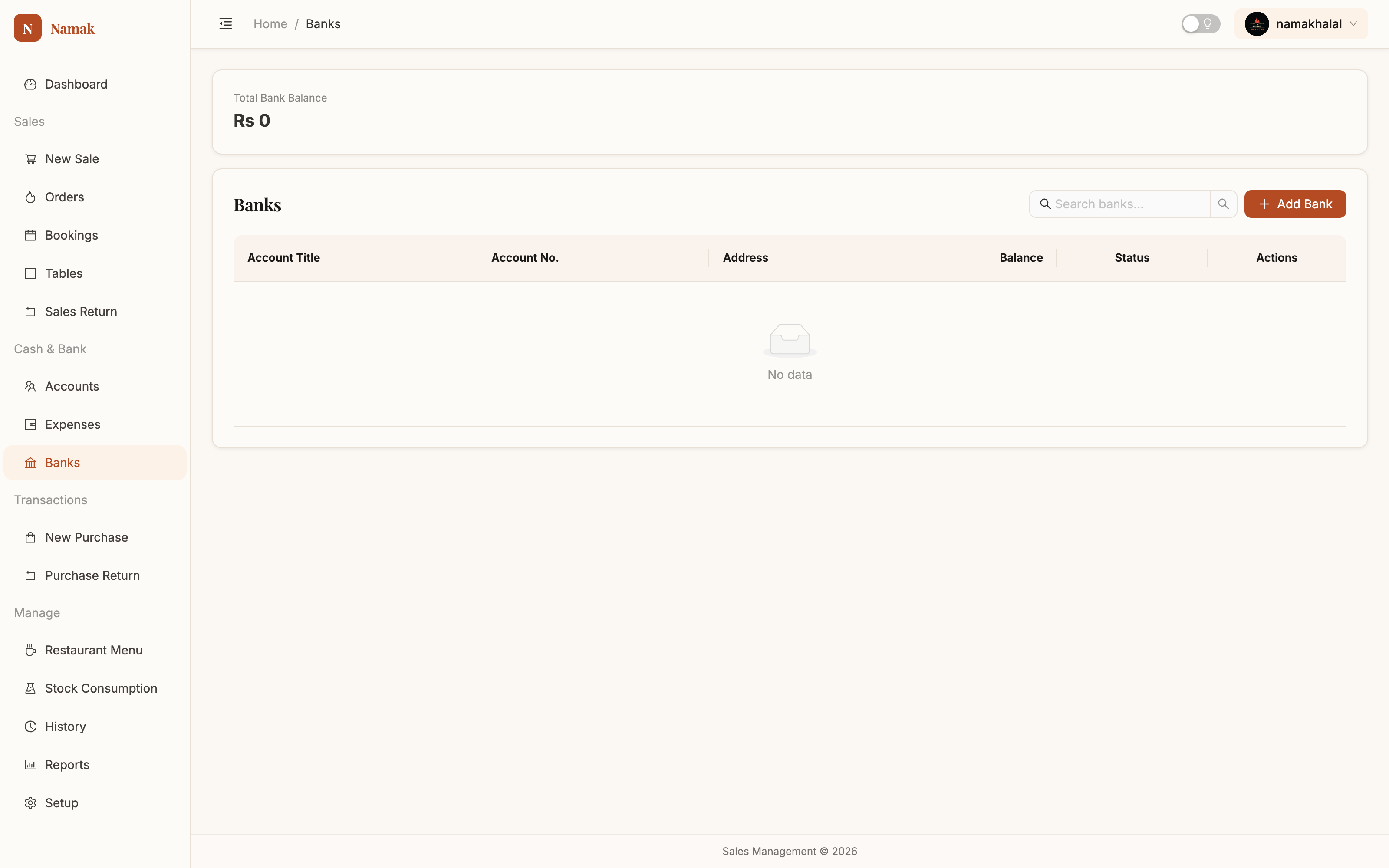
BanksEvery account money moves through, with a balance calculated from transactions rather than typed in. Manual →
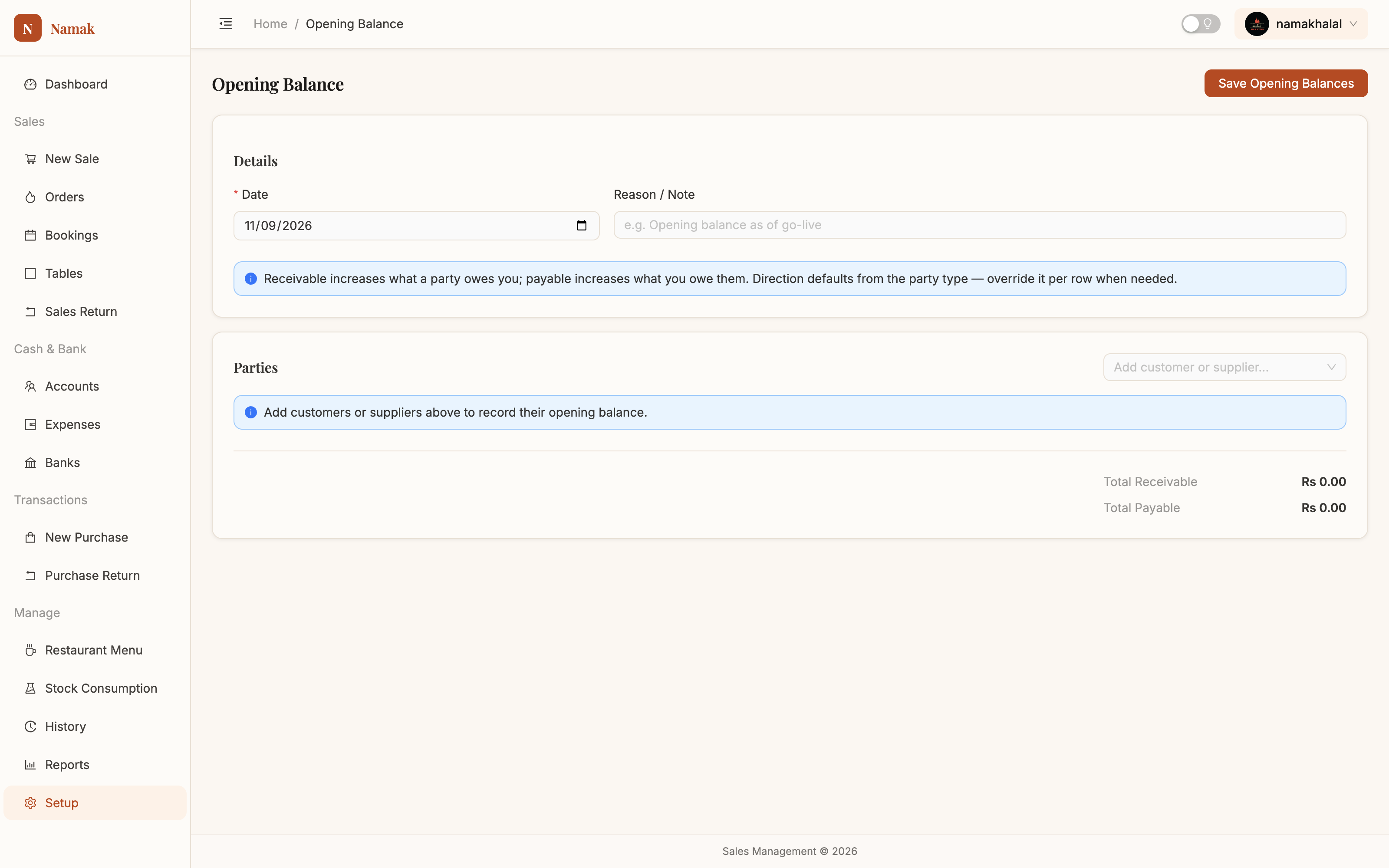
Opening balanceYour old khata, carried in — who owed you and who you owed on the day you started. Manual →
Buying & records
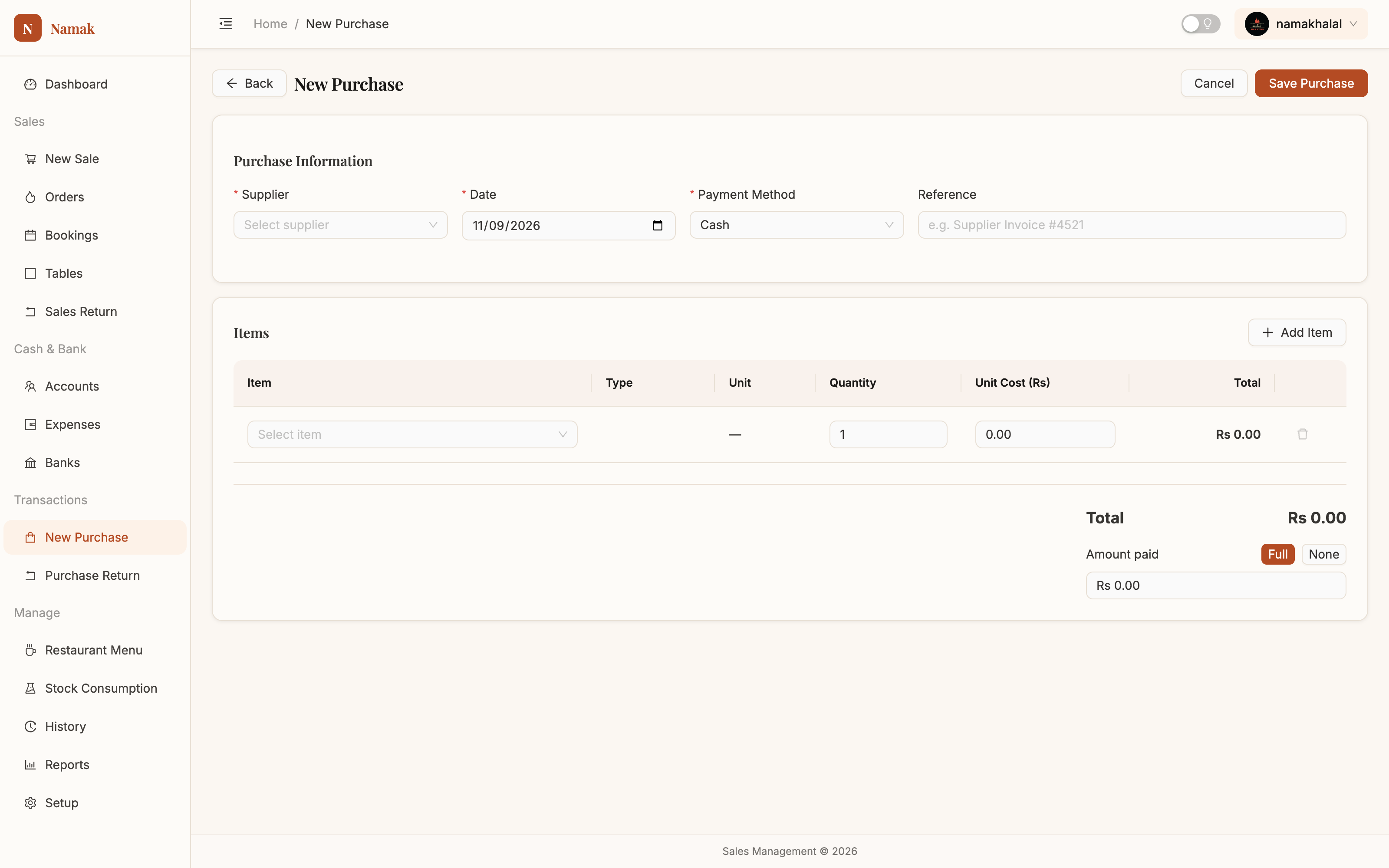
New purchaseRaises the supplier's bill, takes the stock in and updates the item's cost — all from one entry. Manual →
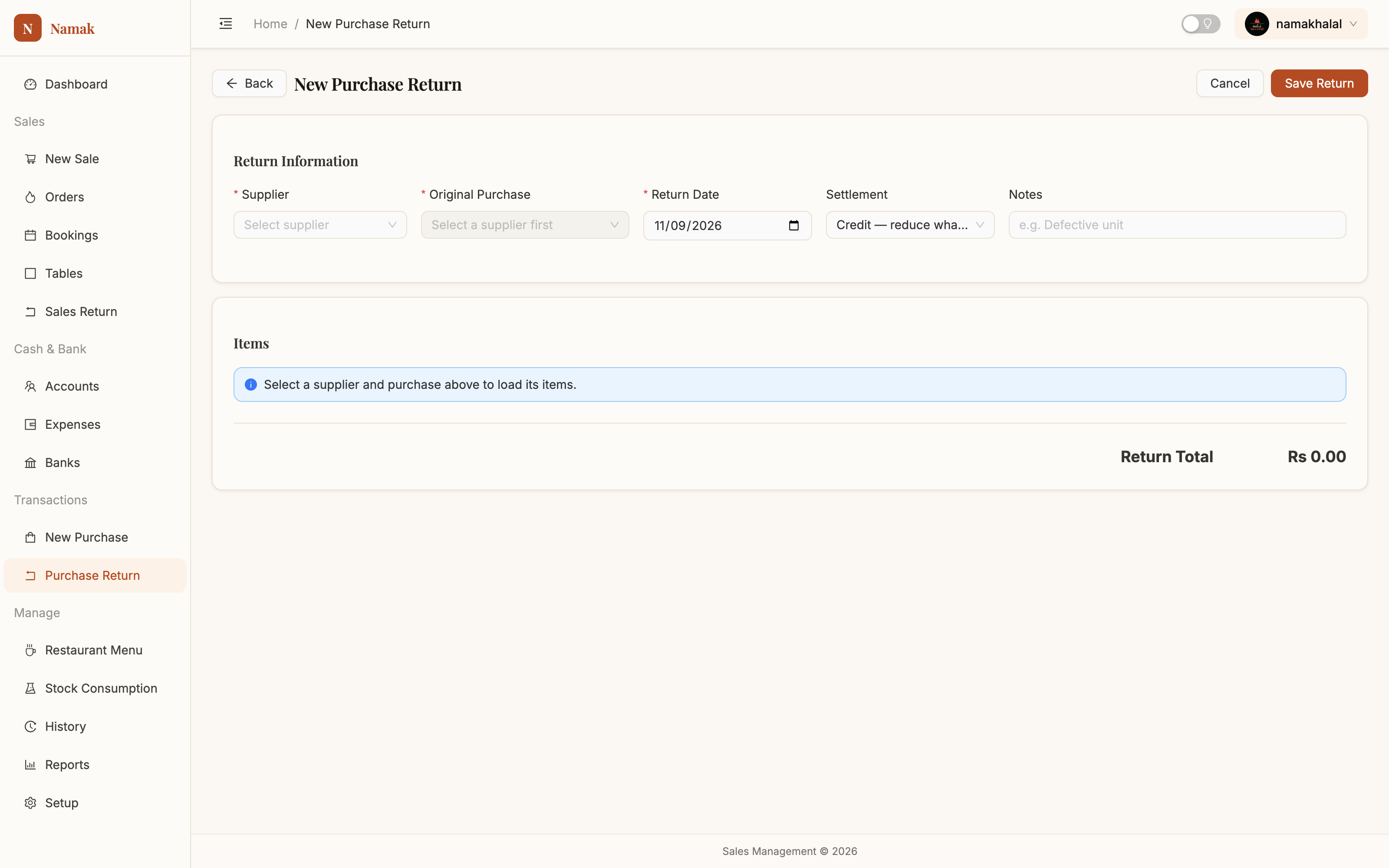
Purchase returnWrong item, short weight, spoiled on arrival — stock goes down and so does what you owe. Manual →
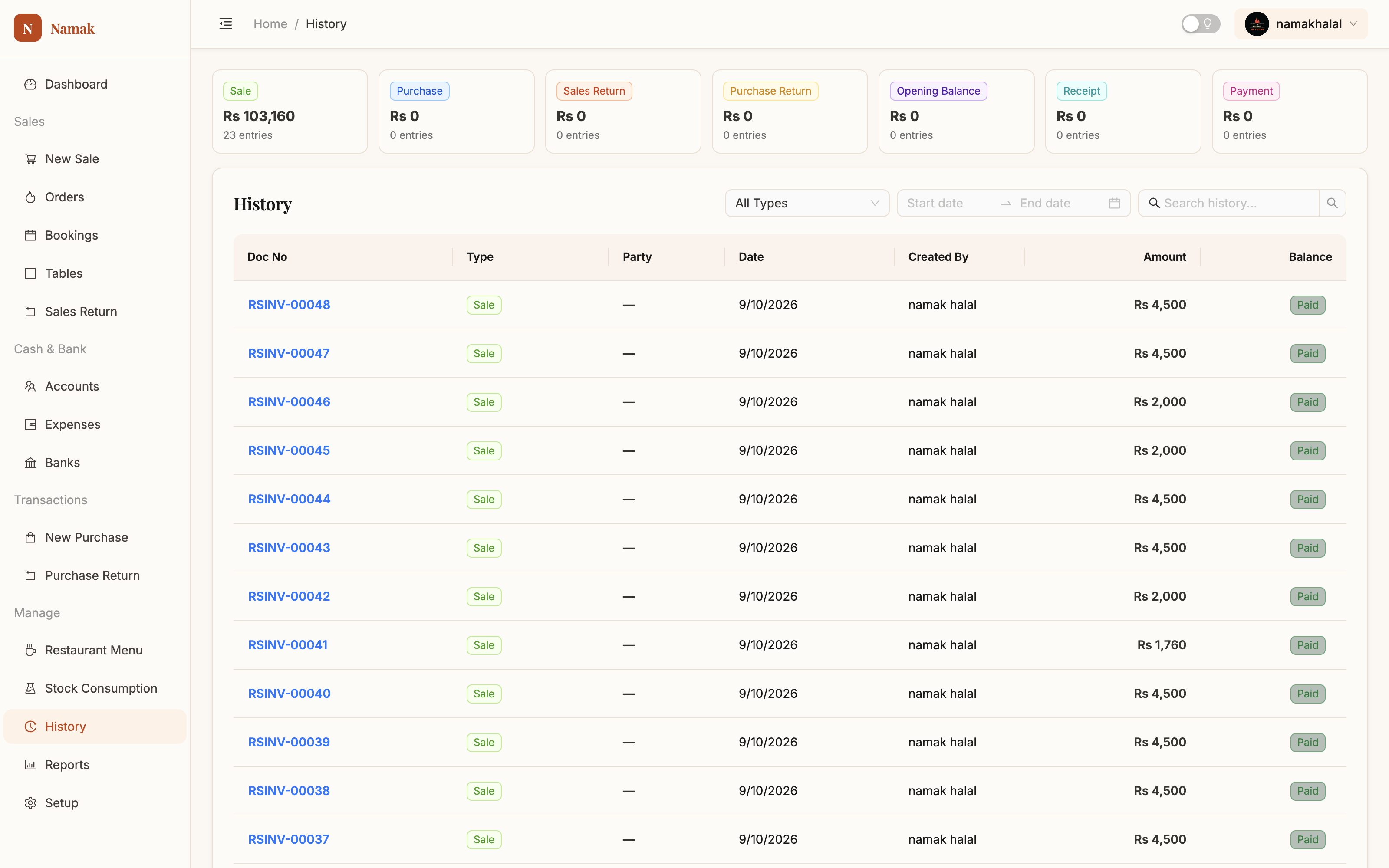
HistoryEvery document ever raised, searchable, with the person who entered it named on each row. Manual →
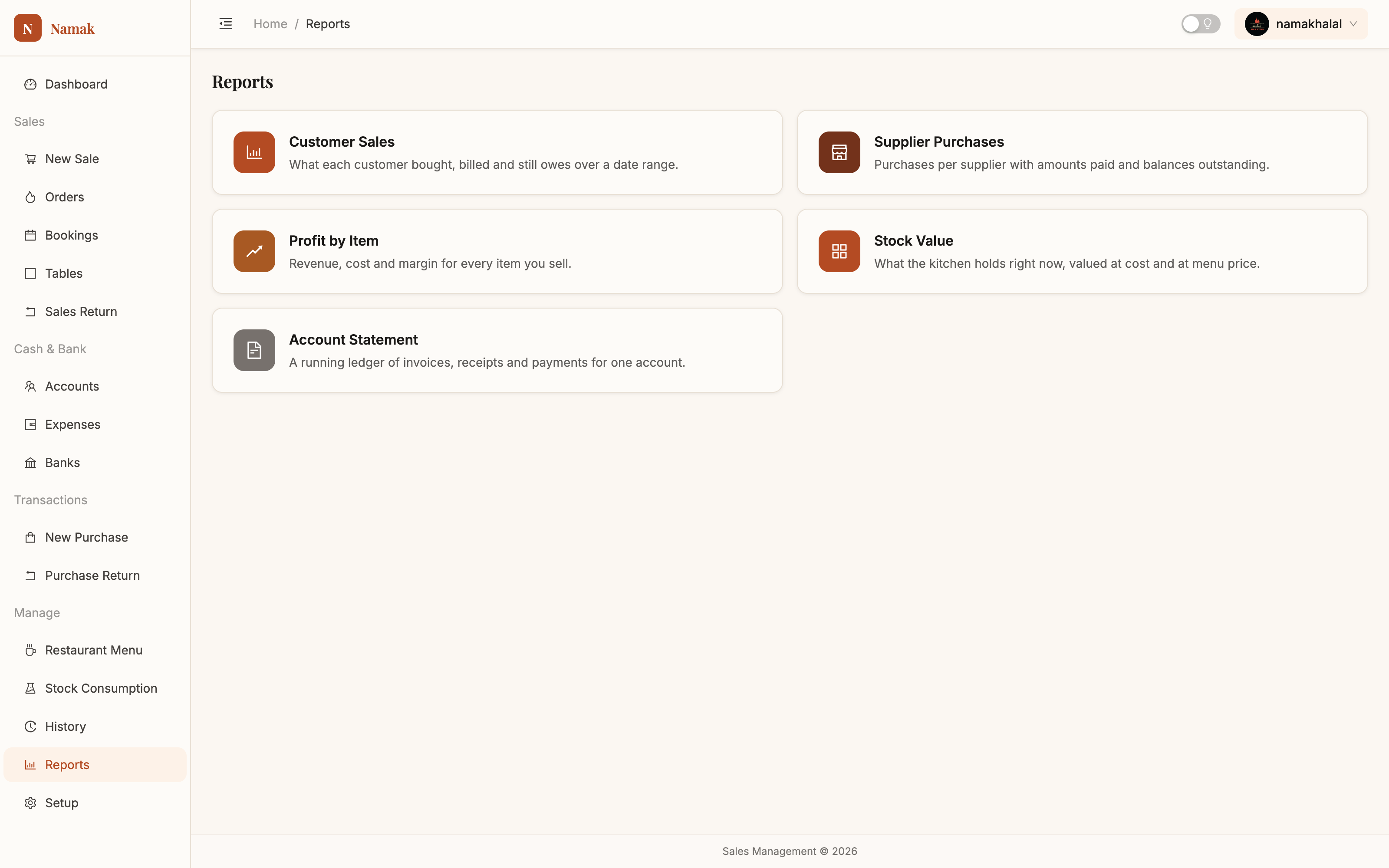
Reports hubFive reports that answer the five questions worth asking. All of them print properly. Manual →
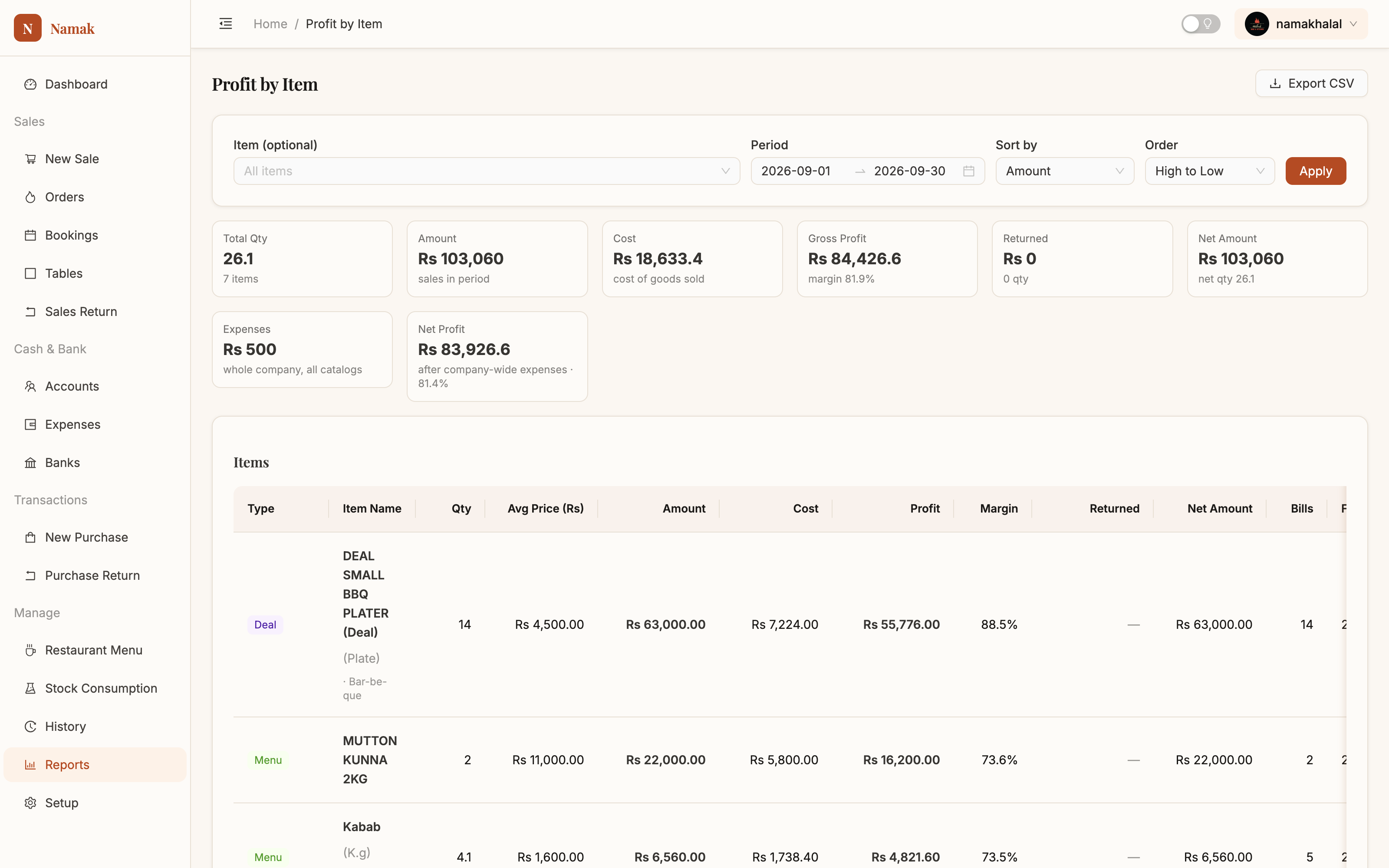
Profit by itemThe most useful screen in the app. Sort by margin and find the popular dish that isn't earning. Manual →
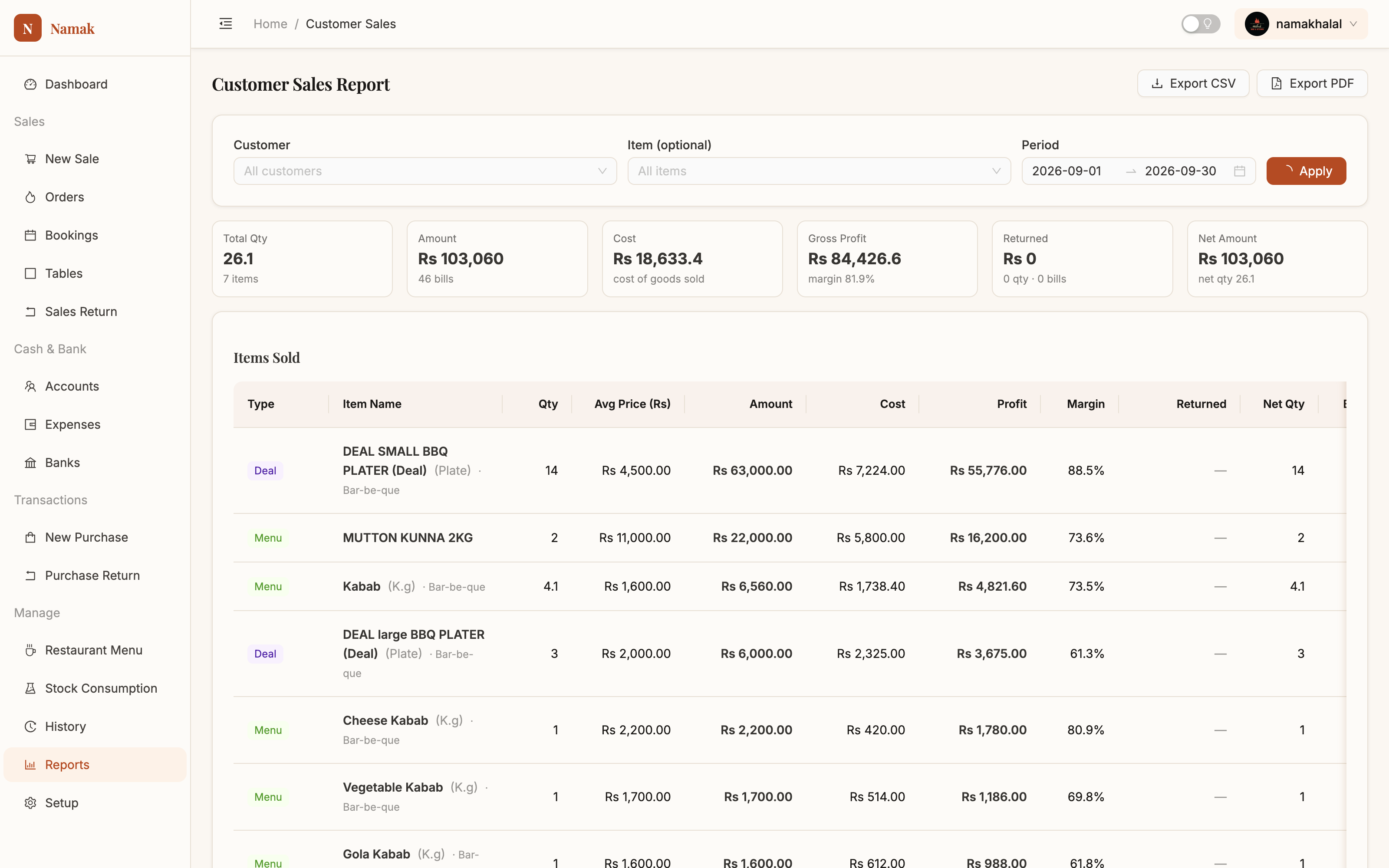
Customer salesWhat each customer bought, billed and still owes — drillable down to invoice and item level. Manual →
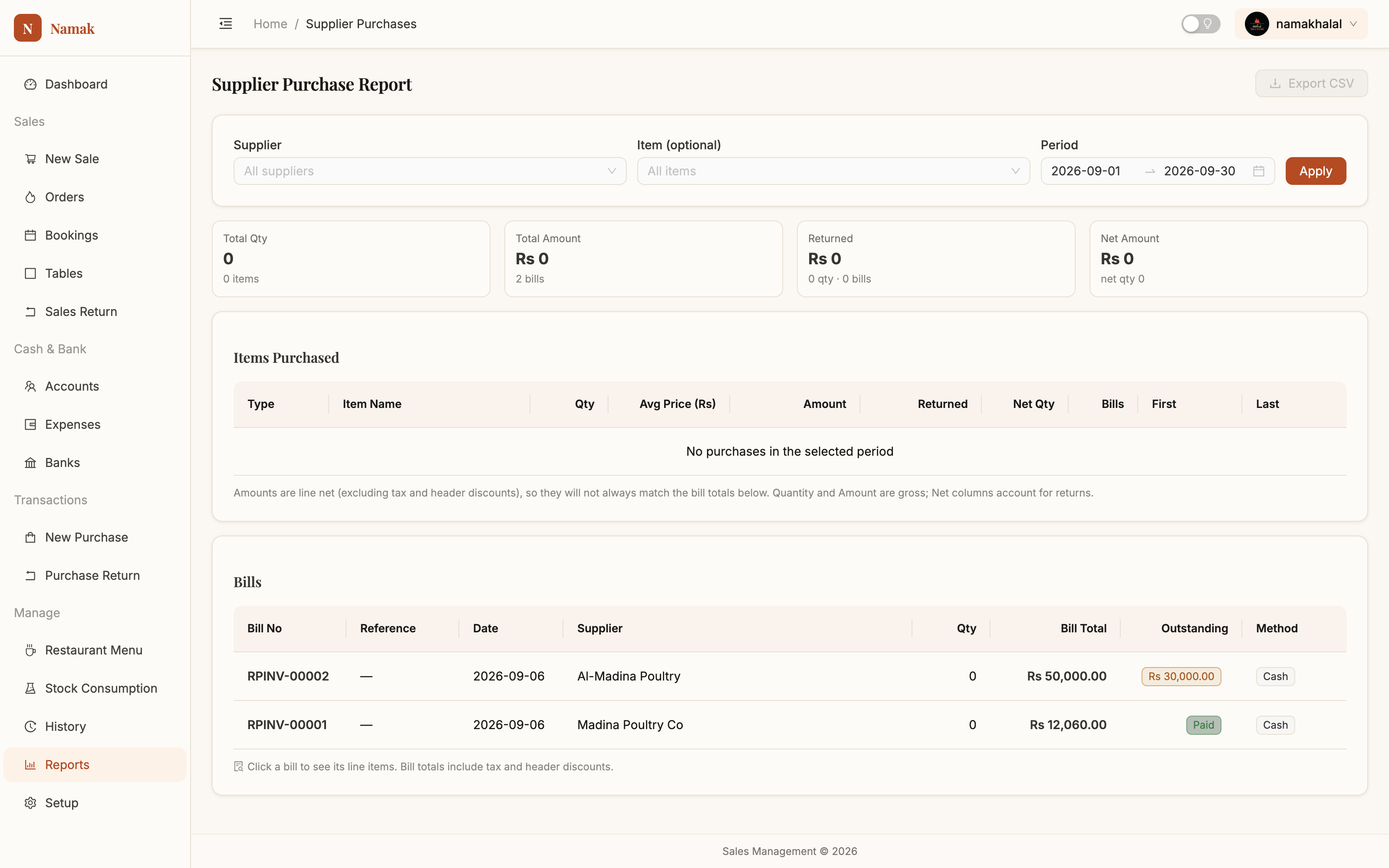
Supplier purchasesWhat you bought from whom, what's been paid and what's still outstanding. Manual →
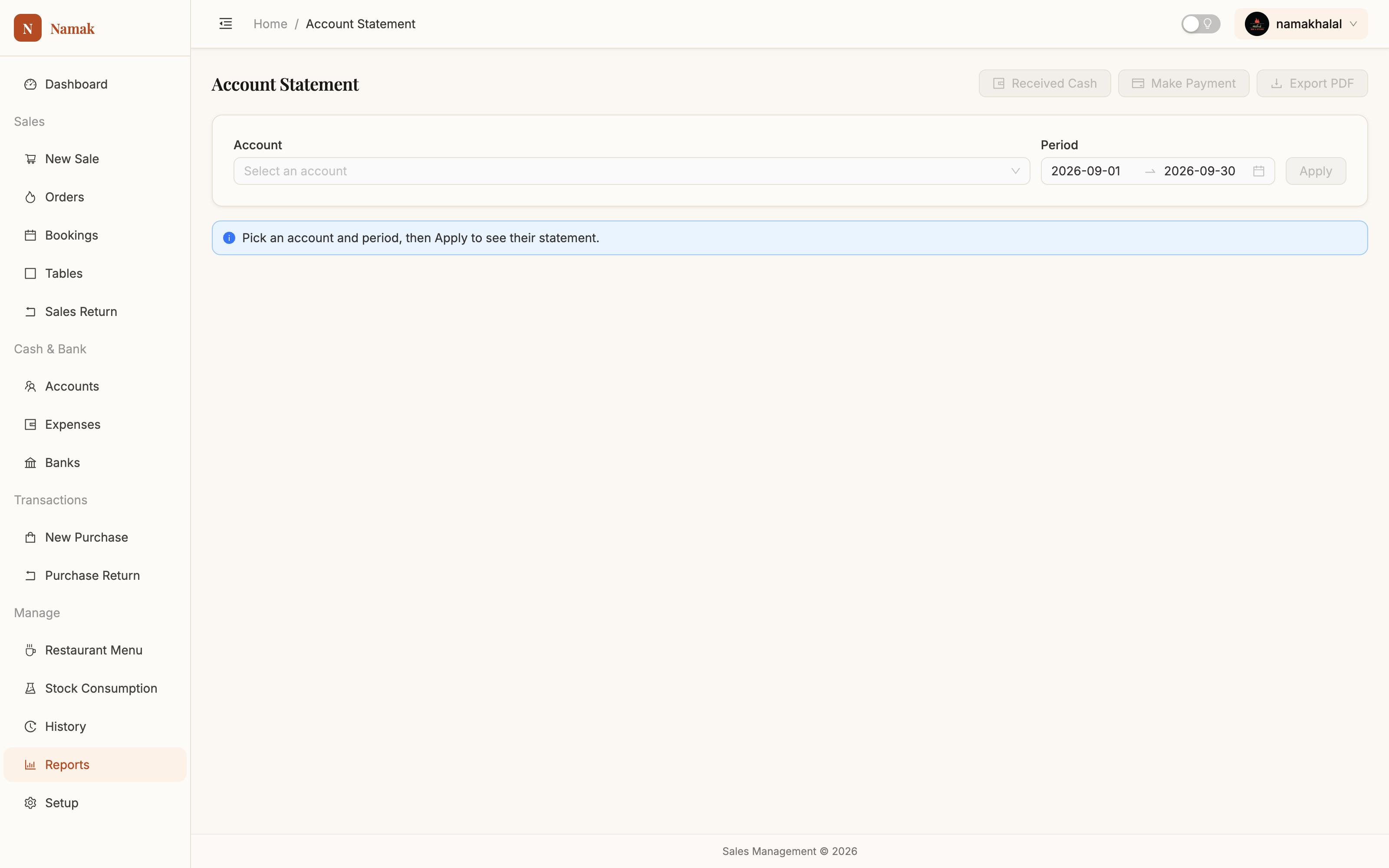
Account statementA running ledger that reads like a bank statement. Print it and hand it to anyone who disputes a balance. Manual →
Admin
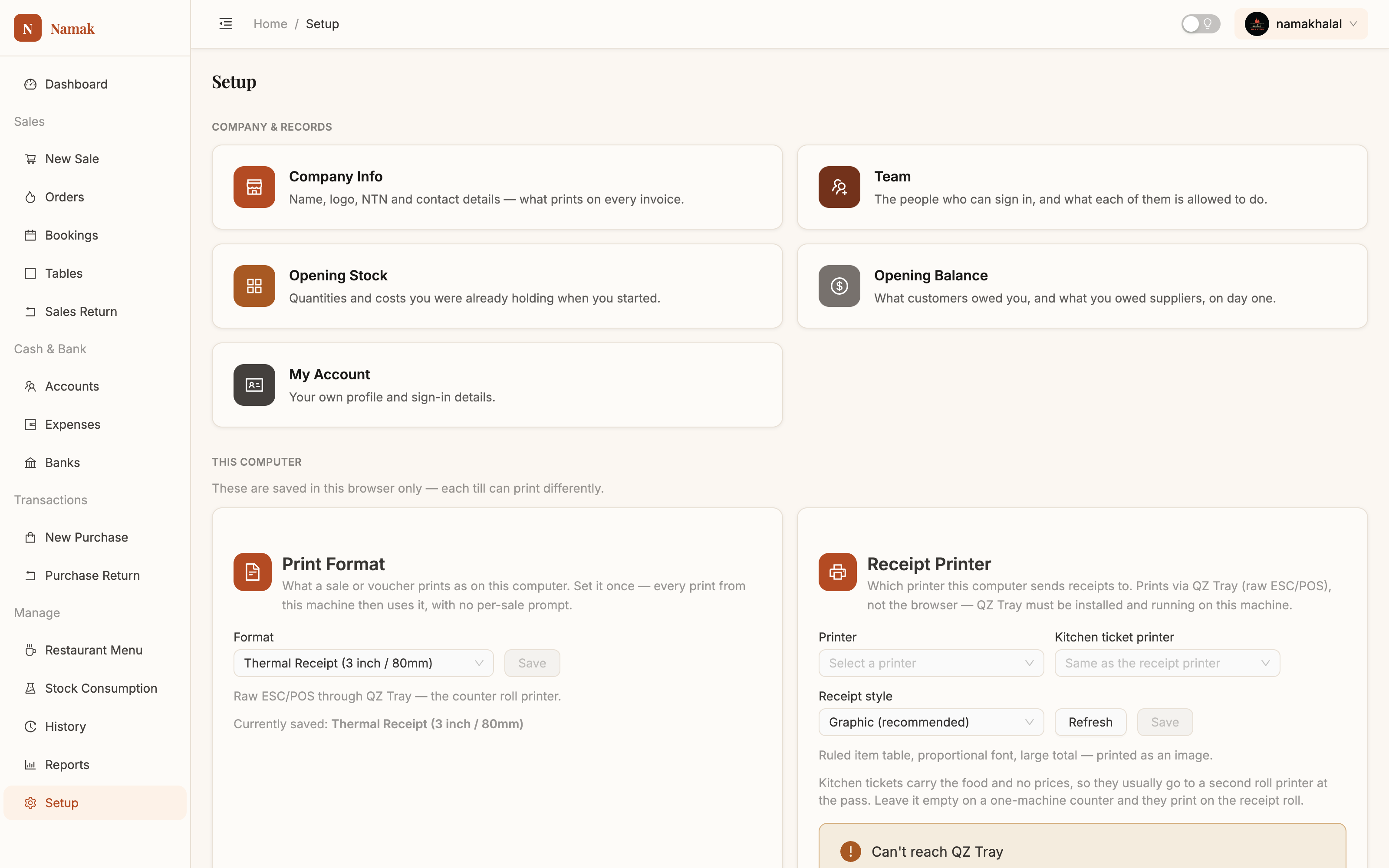
Setup hubCompany records on top; below them the settings that belong to this computer — print format, printers, booking alerts, dark mode. Manual →
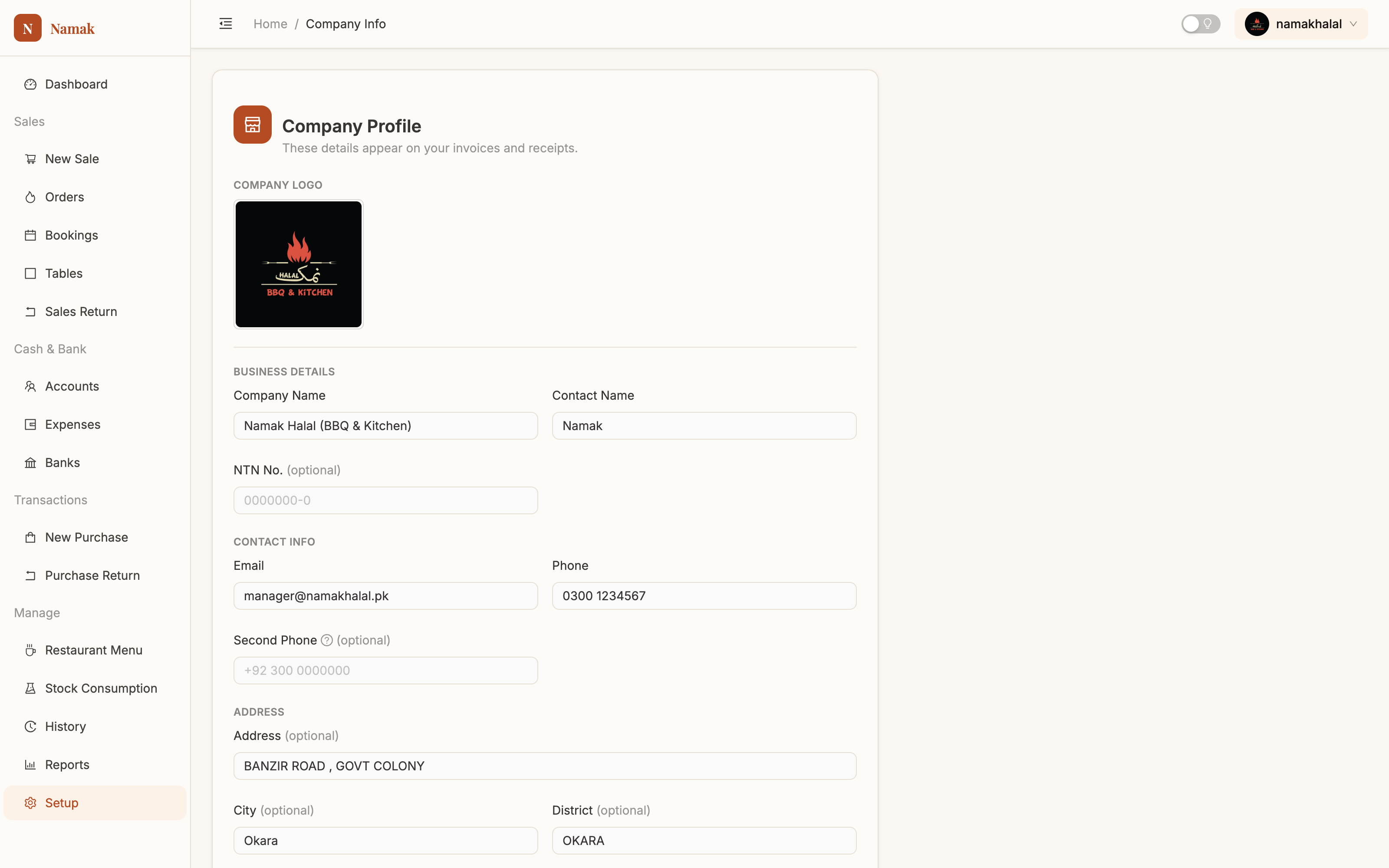
Company & chargesWhat prints on every document, plus service charge, take-away tokens and delivery charges. Manual →
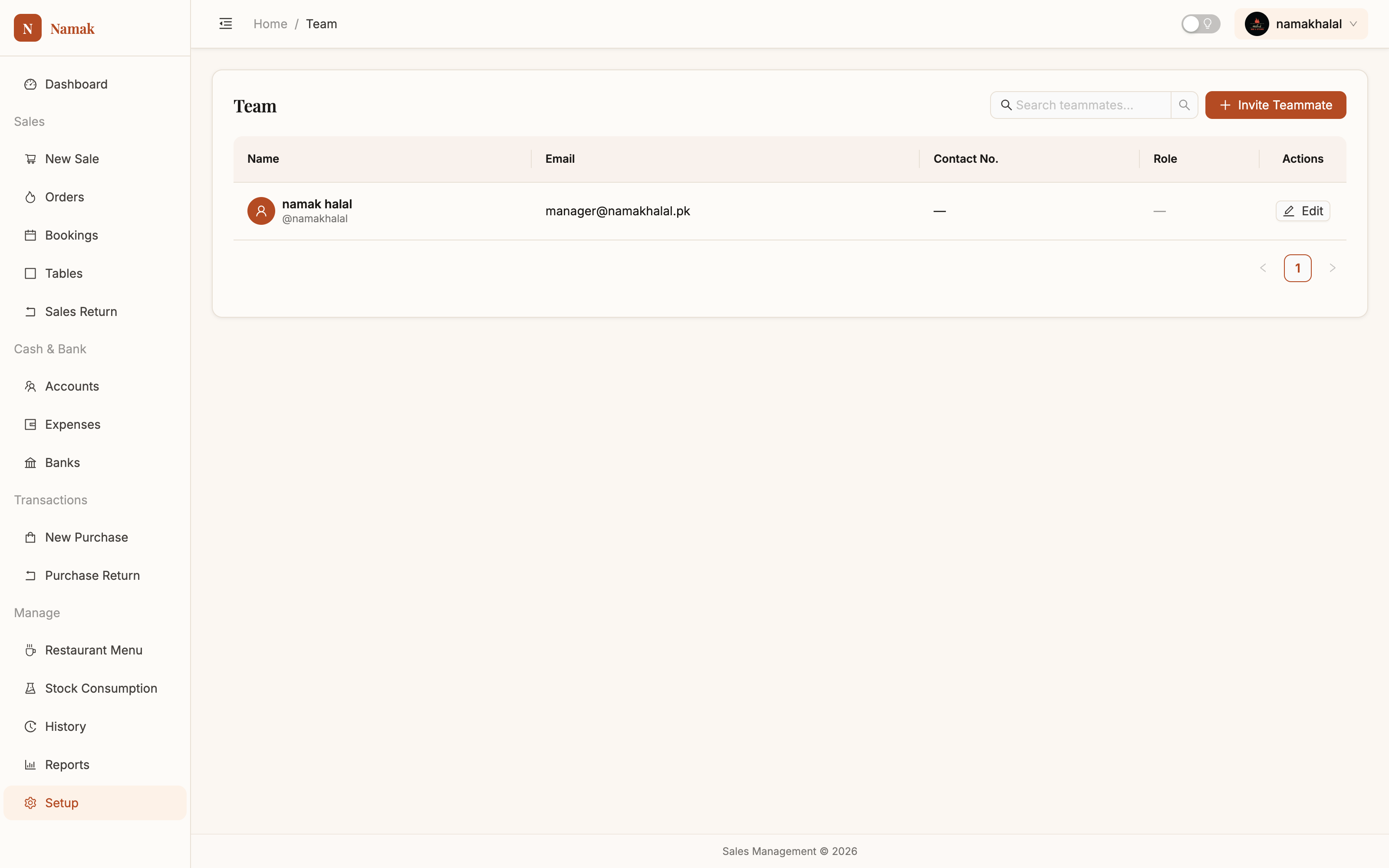
Team & rolesOne login per person, each with a role that fits the job — so a waiter never sees your margins. Manual →
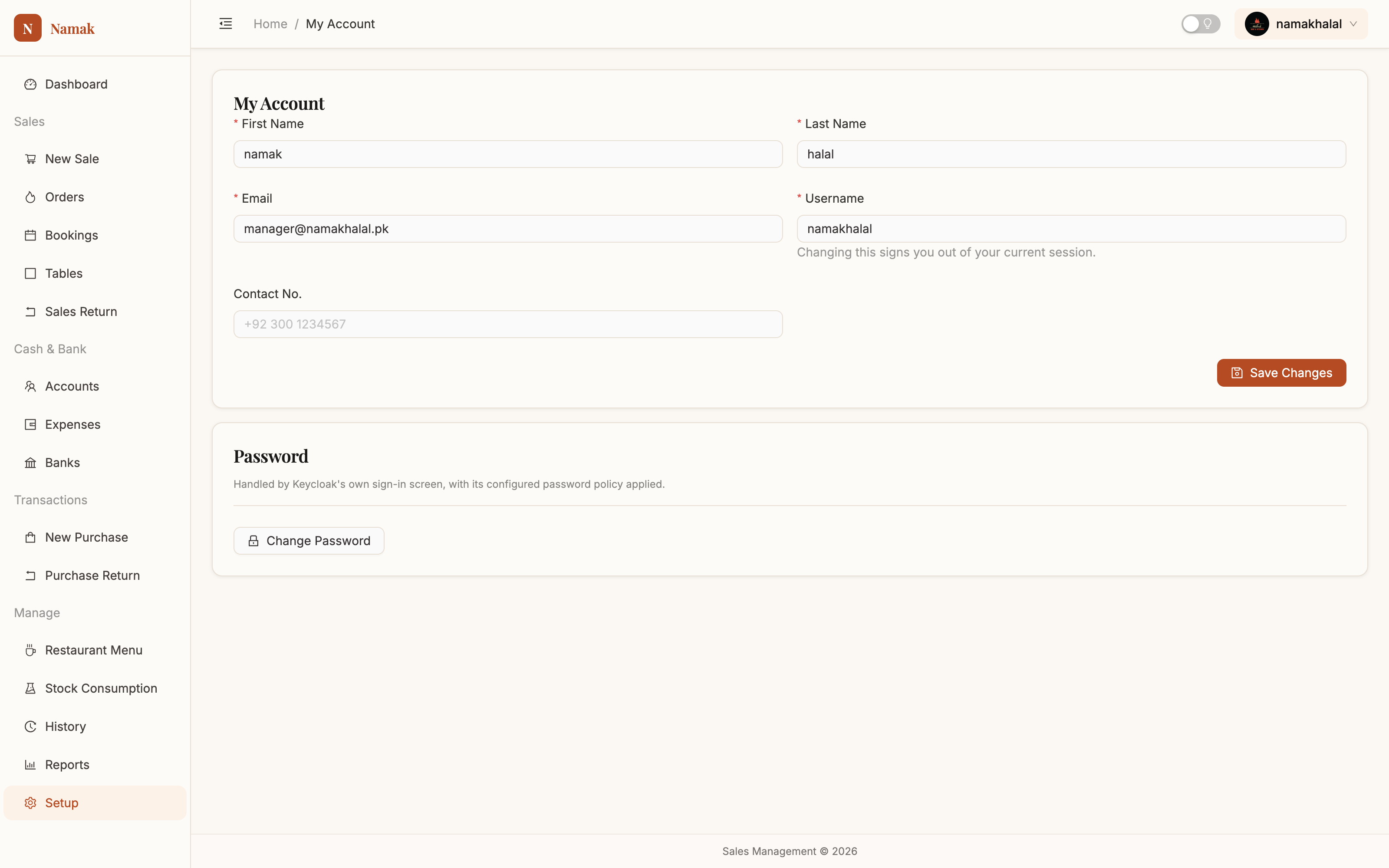
My accountYour own name, contact details and password. Manual →
Everything you just saw is free
There is no second version with the good reports in it.
Get started free